Product
Staff Portal
Users
Staff across ops teams
Timeline
2023 – Present
Role
Sr. PD (Staff-Level)Sr. Product Designer (Staff-Level)
01. Context
Overview
Problem
Too fragmented and complex for everyday staff workflows.
Audience
Accessibility, Student Success, Enrollment, and managers.
Scope
0→1 staff portal MVP and cross-portal workflows.
Ownership
Led end-to-end design from workflow discovery to MVP rollout.
02. Why This Portal
Existing Salesforce
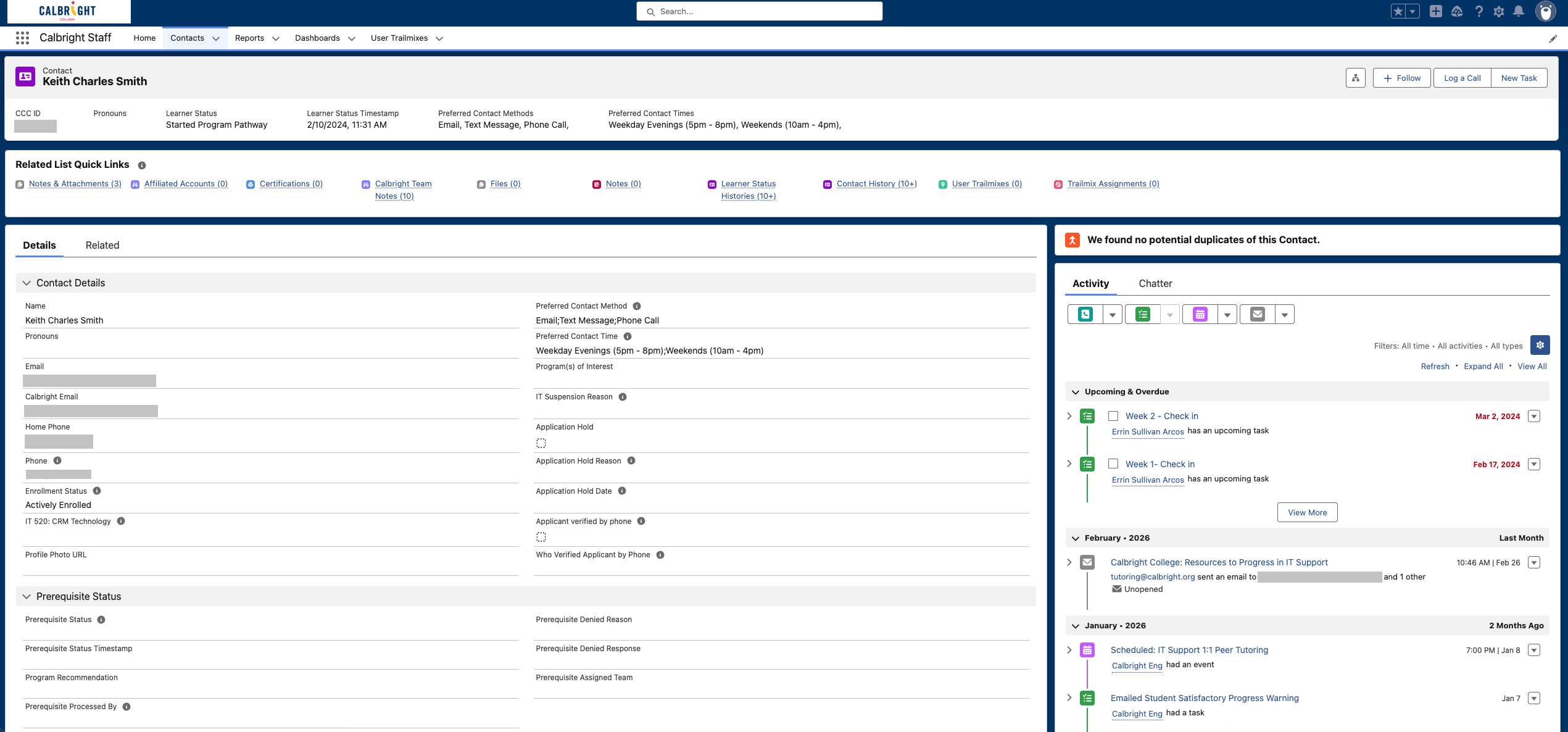
Scattered context
Key student information is spread across multiple horizontal bands.
Fragmented links
Routine records and actions are split across too many destinations.
Dense fields
Important details are buried in a form-heavy layout.
Buried actions
High-frequency actions exist, but lack workflow priority.
Disconnected history
Follow-up activity is separated from the main case context.
Record-keeping focus
The system captures data well, but offers limited workflow guidance.
Legacy Salesforce was powerful, but too dense and fragmented for everyday staff workflows.
Existing Reality
Salesforce-heavy, fragmented tools, high learning curve. Staff juggled multiple systems to complete routine student operations.
Opportunity
Role-aware internal portal optimized for student operations — one place for critical actions and context.
03. 0→1 MVP Foundation
Lightweight MVP Iteration
A simplified MVP iteration that retained the core goal of surfacing critical student information and centralizing frequent staff actions, while improving clarity and usability.
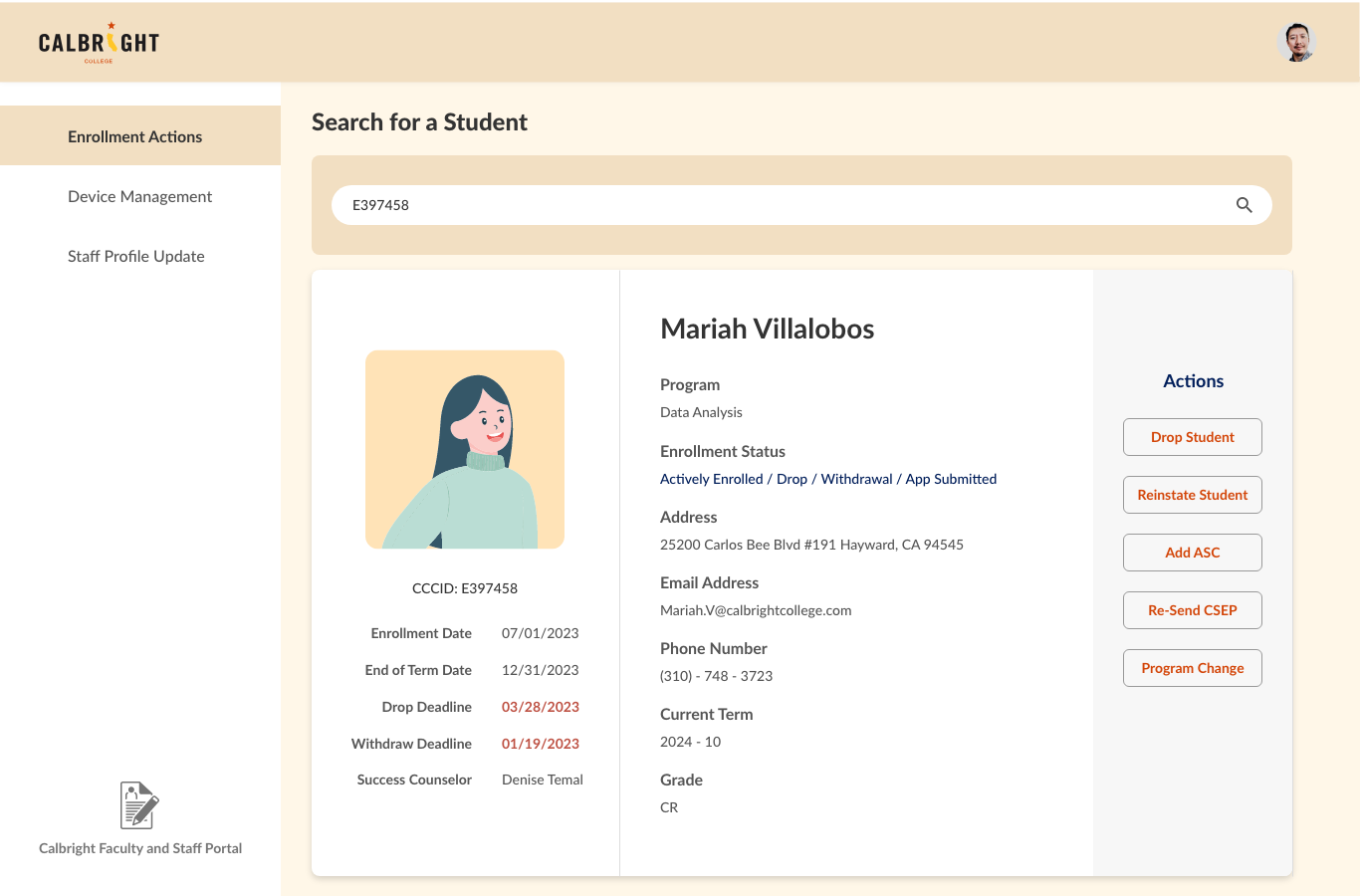
Iteration 1
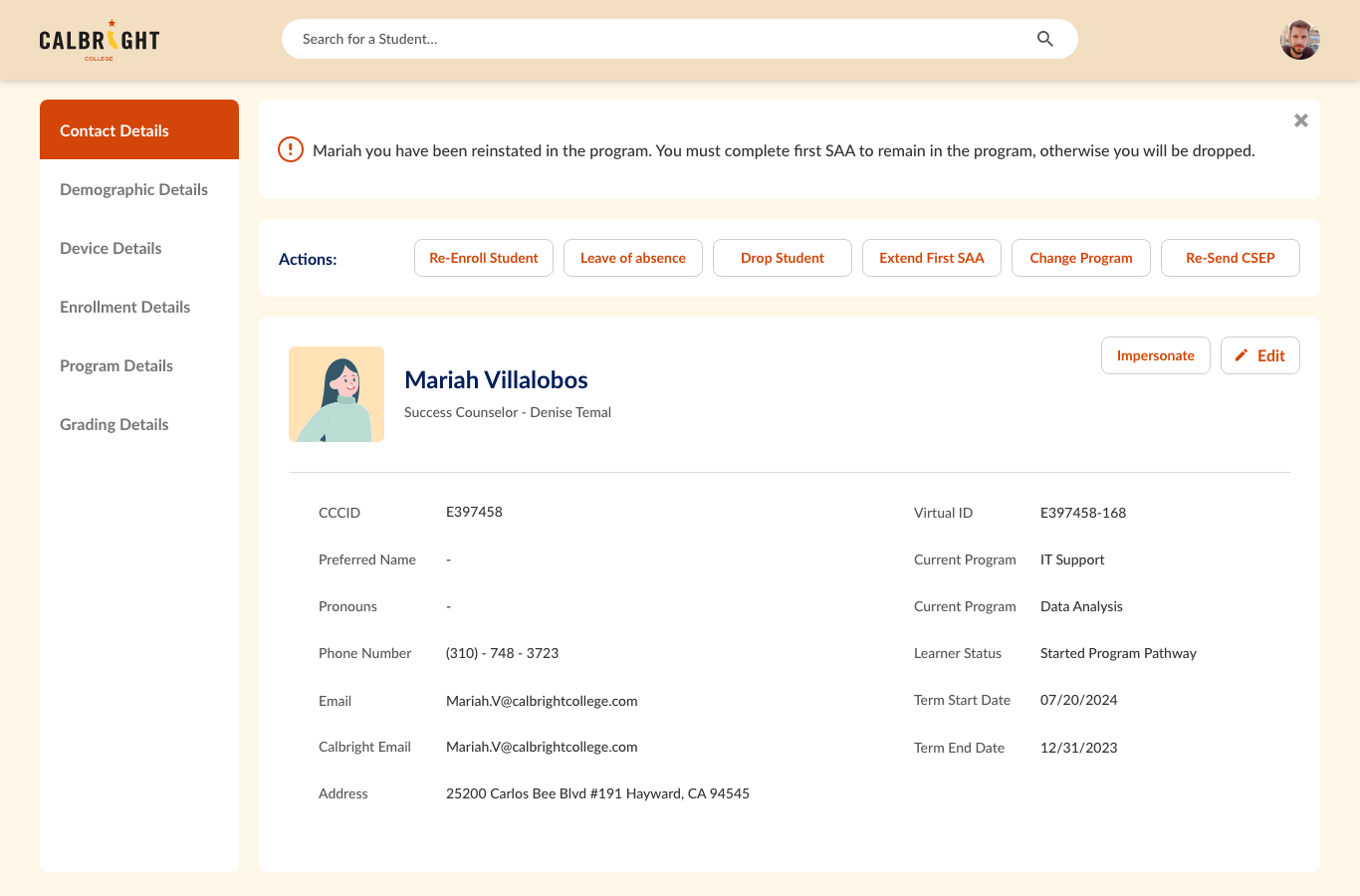
Iteration 2
Iteration 3
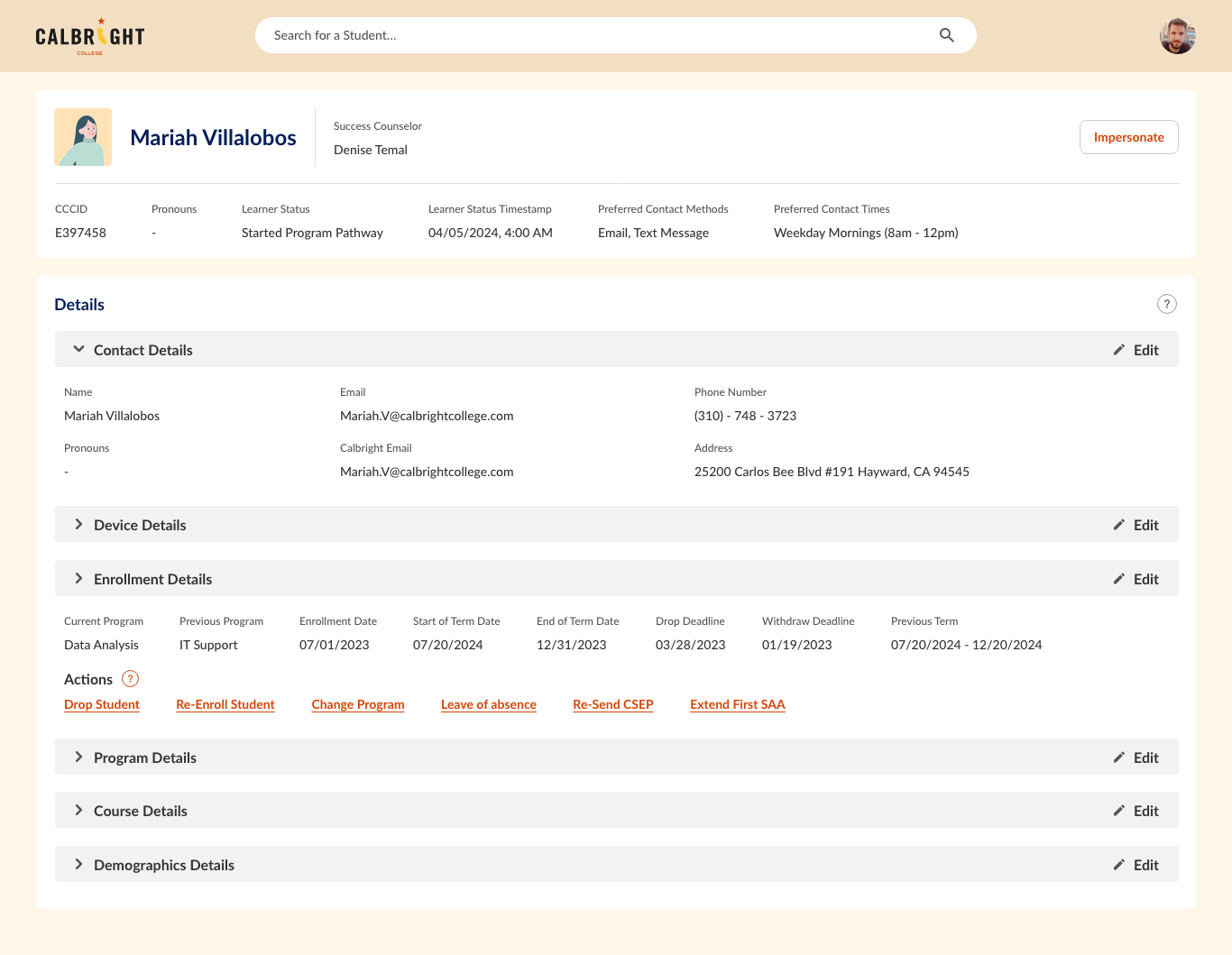
Iteration 4
"The initial design challenge looked like a dashboard problem, but stakeholder feedback revealed it was really a workflow orchestration problem."
04. Research + Workflow Complexity
Staff Responsibilities Identified Through Internal Conversations
Case Management
- approve / deny
- drop / withdraw
- re-enroll / reinstate
- account suspension
- veteran-related support
Student Operations
- outreach
- notes
- appointments
- tasks
Communication & Follow-up
- outreach
- notes
- appointments
Workflow Visibility
- approval history
- ownership
- escalations
Key insights
- •Information was visible, but not prioritized around decision-making
- •Similar workflows were handled differently across teams
- •High-frequency actions were still too buried
- •Manager visibility and auditability were missing
05. Finalizing the Staff Portal Dashboard
Translating research into an operational workspace
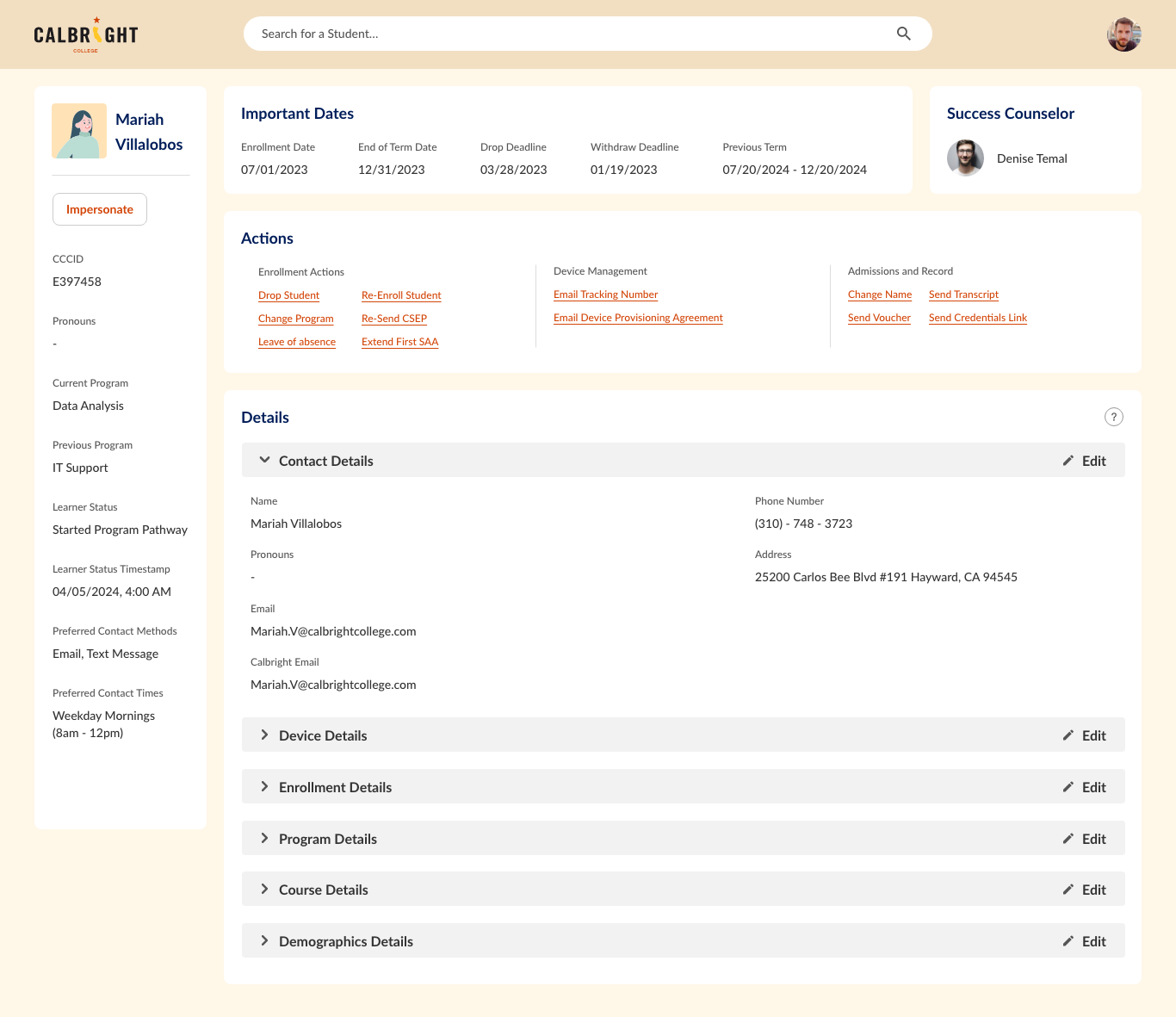
Combining four iterations, workflow insights, and Salesforce findings, I refined the dashboard into a clearer operational workspace for staff decision-making and daily casework.
Legacy Salesforce
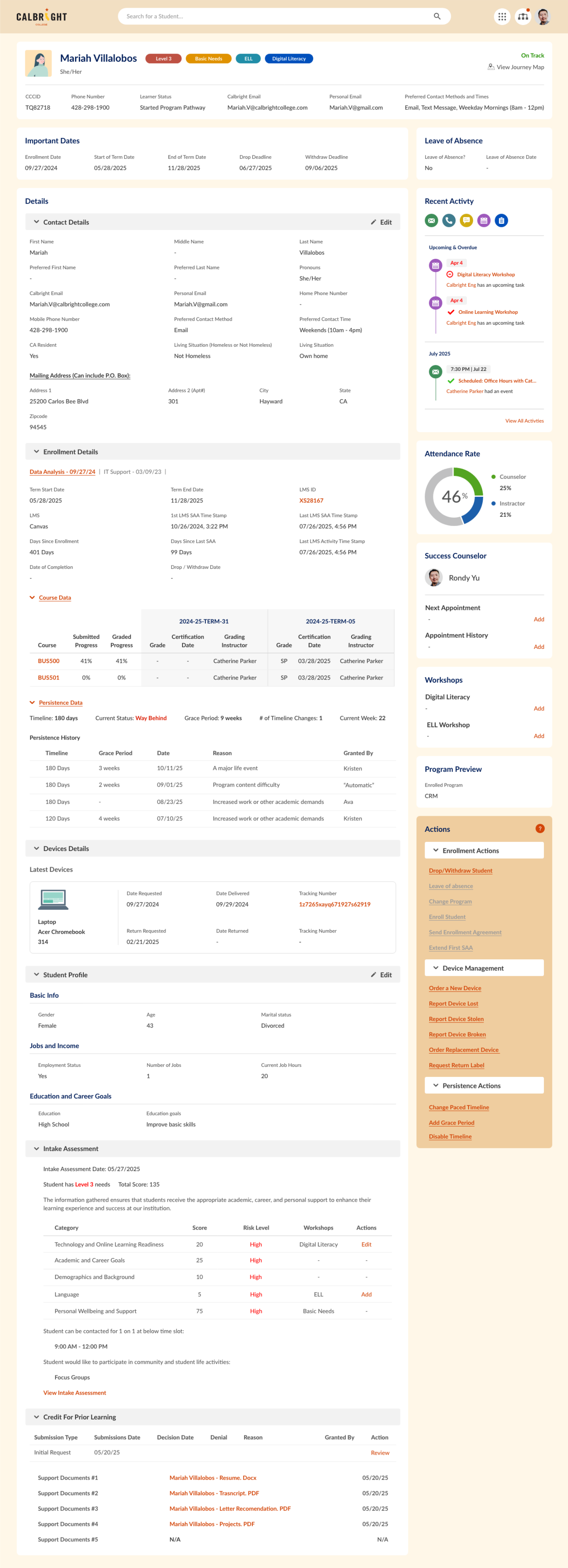
New Staff Portal
06. Project Deep Dive: CPL
A Cross-Role Workflow
For the launch of the Community Health Worker (CHW) program, Calbright needed a new cross-role workflow to support Credit for Prior Learning (CPL), from student submission to staff review to manager oversight.
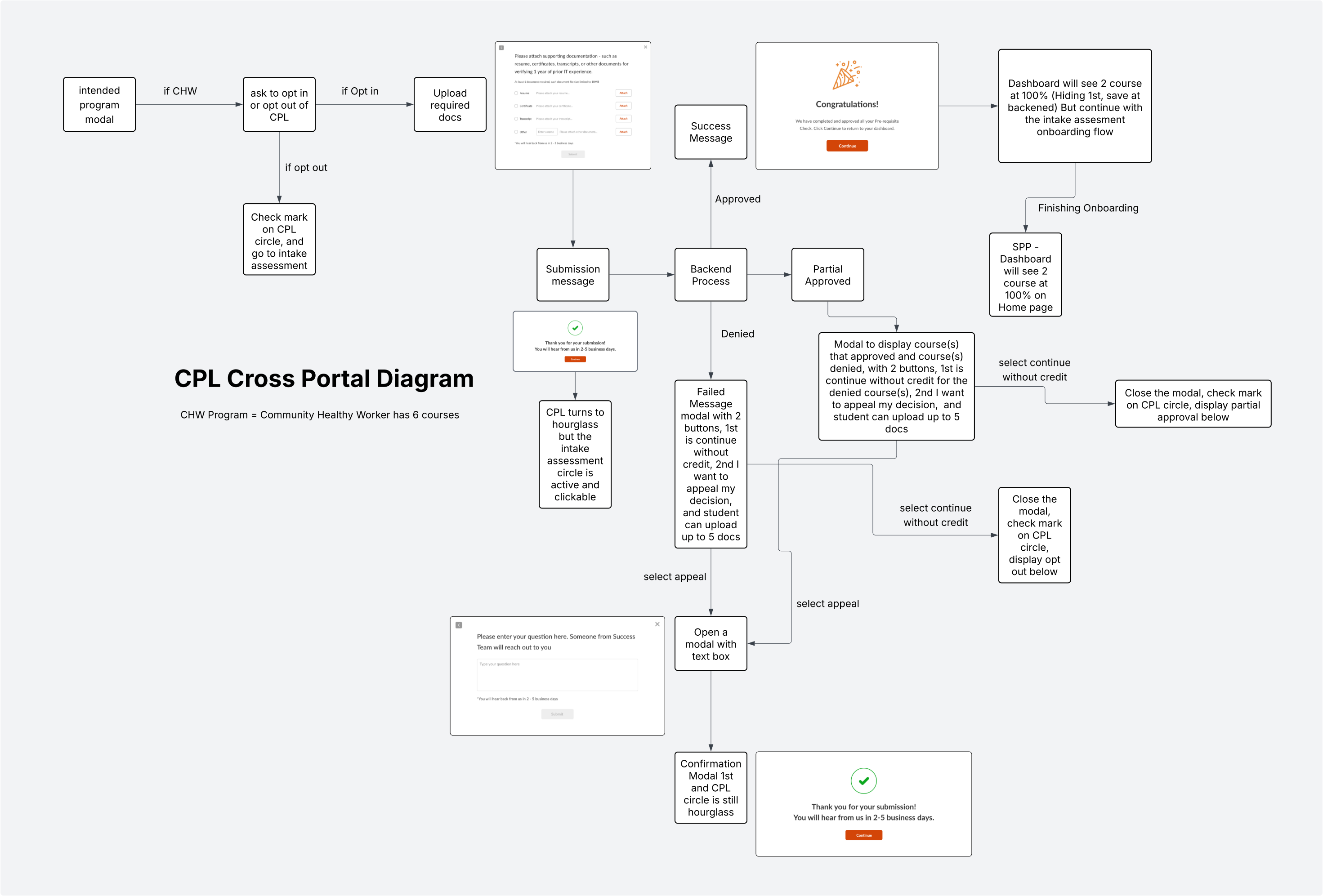
07. CPL DECISION LIFECYCLE
CPL Decision Lifecycle
A closed-loop process showing how student requests move through review, reporting, and program evolution.
Learning Program
Generate Report
Individual CPL decisions can surface broader signals that inform future program design.
08. Interactive Prototype
Explore the CPL Workflow
An interactive prototype showcasing how CPL moves across the student portal, staff portal, and manager view — from submission and review to approval, visibility, and status updates.
09. Impact
Impact & Outcomes
The staff portal improved operational efficiency and established a foundation for cross-role workflows.
Access to critical student information
Compared with the legacy Salesforce workflow
Time-to-action for common cases
Compared with previous case-handling flow
Visibility across workflows
Improved visibility across staff and manager workflows
Foundation
Established a reusable foundation for internal portal expansion
10. Reflection
"This project started as an internal dashboard effort, but evolved into a broader systems design challenge — aligning student operations, staff decision-making, and managerial oversight in one connected experience. My role was not just to improve usability, but to translate institutional complexity into workflows people could trust."