Product
Student Portal
Users
Adult Learners
Timeline
2023 – Present
Role
Sr. PD (Staff-Level)Sr. Product Designer (Staff-Level)
01. Early User Research
Understanding Student Needs Through Interviews
Early interviews revealed common onboarding challenges, informing the creation of a representative persona and an early-stage student journey.
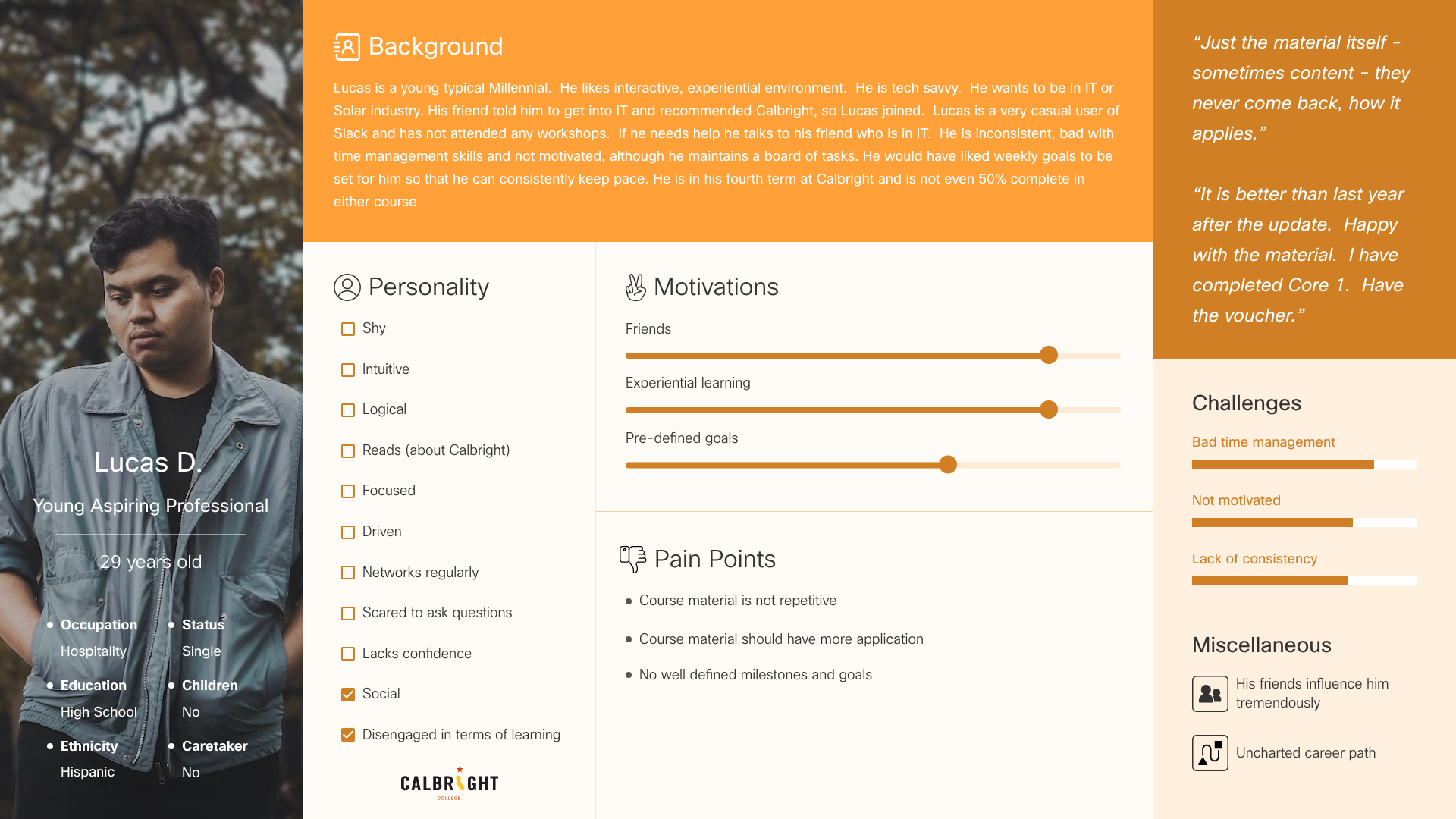
Student Persona 1
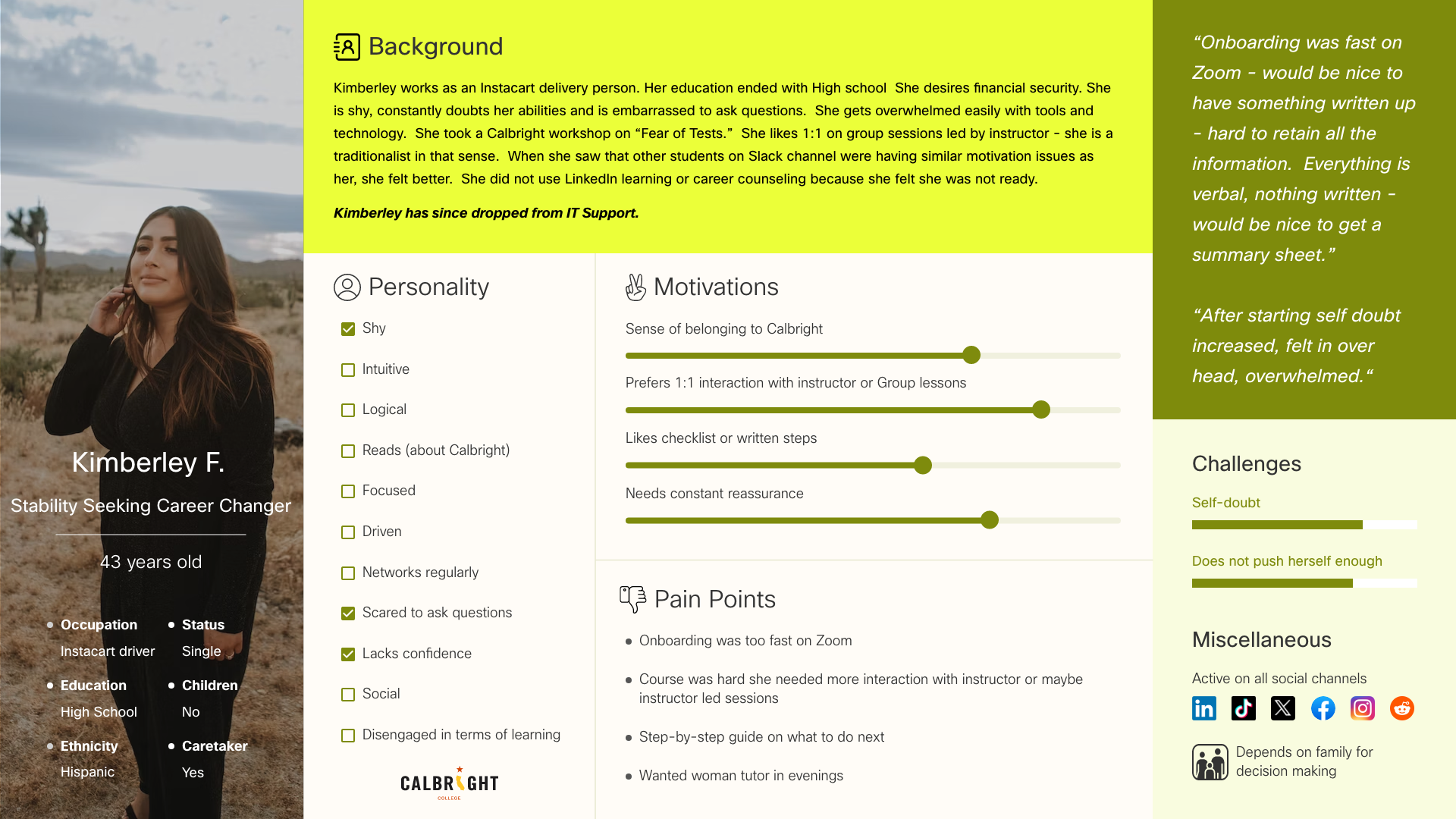
Student Persona 2
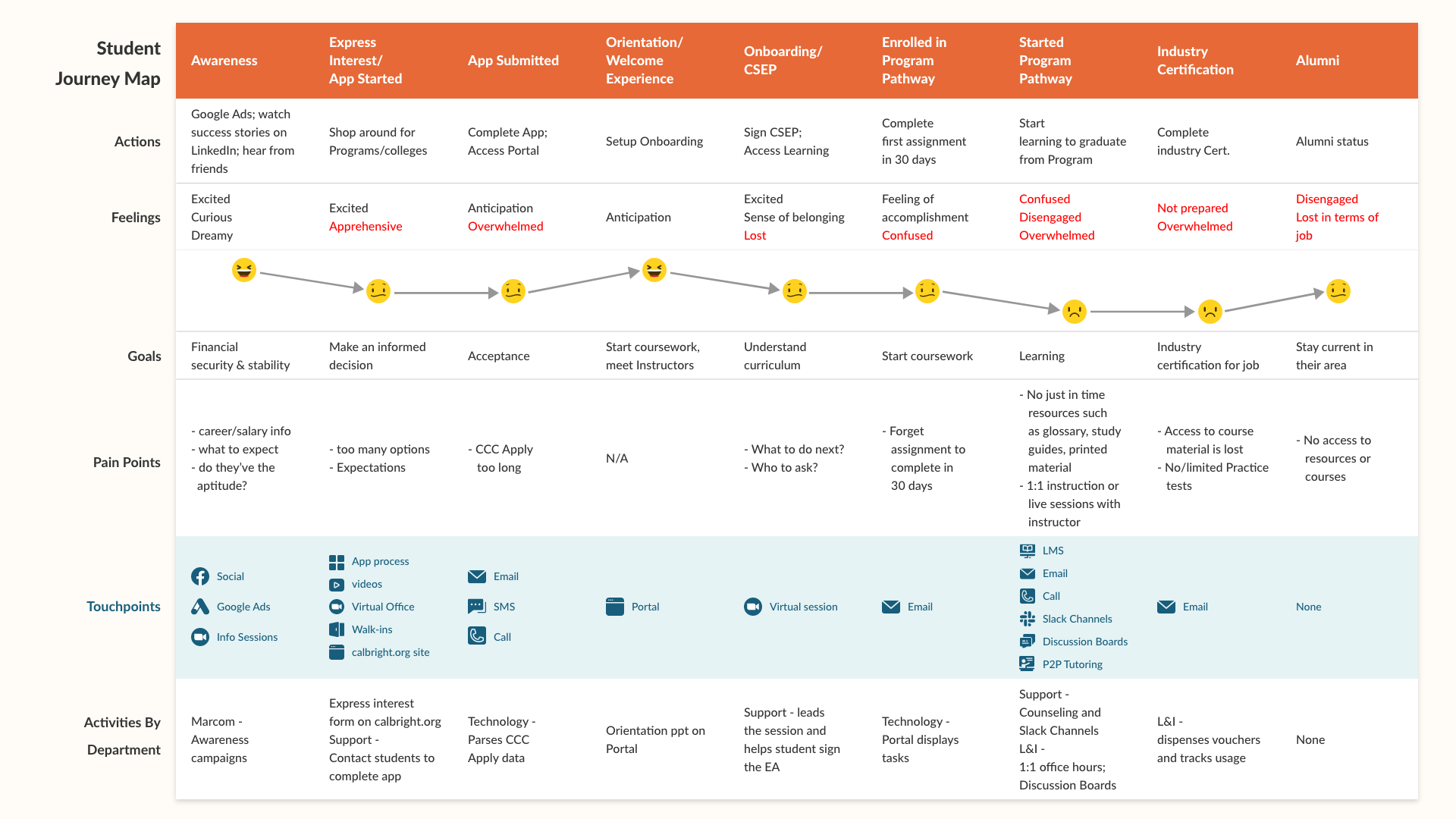
Early stage student journey
Information ≠ Guidance
Students could see their coursework and updates, but the portal rarely told them what action to take next.
System-Driven Navigation
The navigation reflected internal service categories instead of how students actually progress through learning.
Missing Next-Step Signals
Critical moments like onboarding, orientation, and course start lacked clear next-step cues.
High Cognitive Load
New students had to interpret multiple pieces of information before understanding how to move forward.
02. Legacy Experience
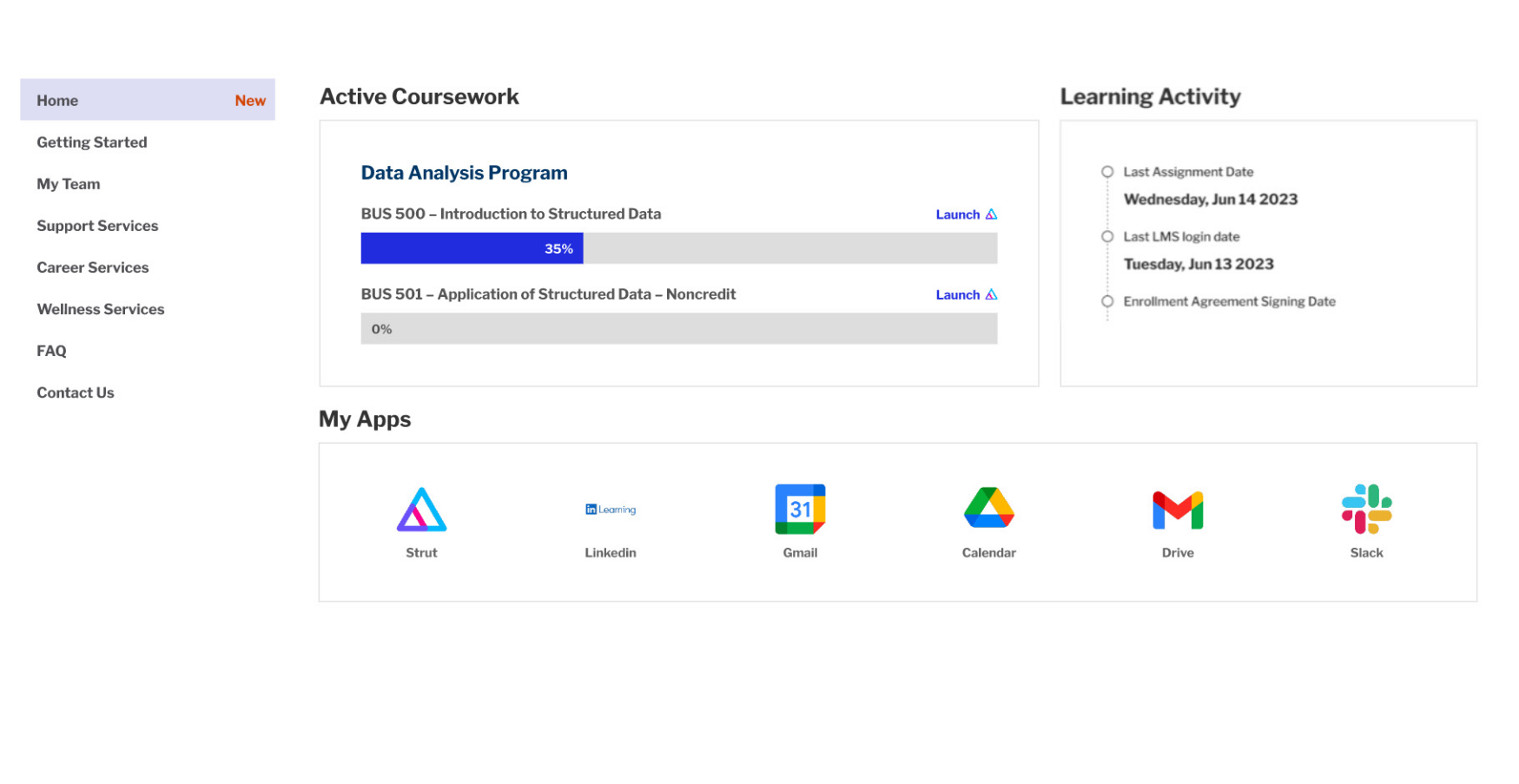
Legacy Student
Portal Experience
The original homepage surfaced useful information, but offered little guidance on what students should actually do next.
Key Insights
Information ≠ Guidance
Students could see their coursework and updates, but the portal rarely told them what action to take next.
System-Driven Navigation
The navigation reflected internal service categories instead of how students actually progress through learning.
Missing Next-Step Signals
Critical moments like onboarding, orientation, and course start lacked clear next-step cues.
High Cognitive Load
New students had to interpret multiple pieces of information before understanding how to move forward.
03. Opportunity
Kick-starting the Student Experience Through
Onboarding
- Partnered with cross-functional teams to map onboarding
- Onboarding tasks spread across multiple systems
- "My Tasks" behaved as a static checklist
- Students lacked visibility into onboarding milestones
- Key actions required leaving the portal
Opportunity
Opportunity to redesign the portal around a milestone-driven onboarding journey.
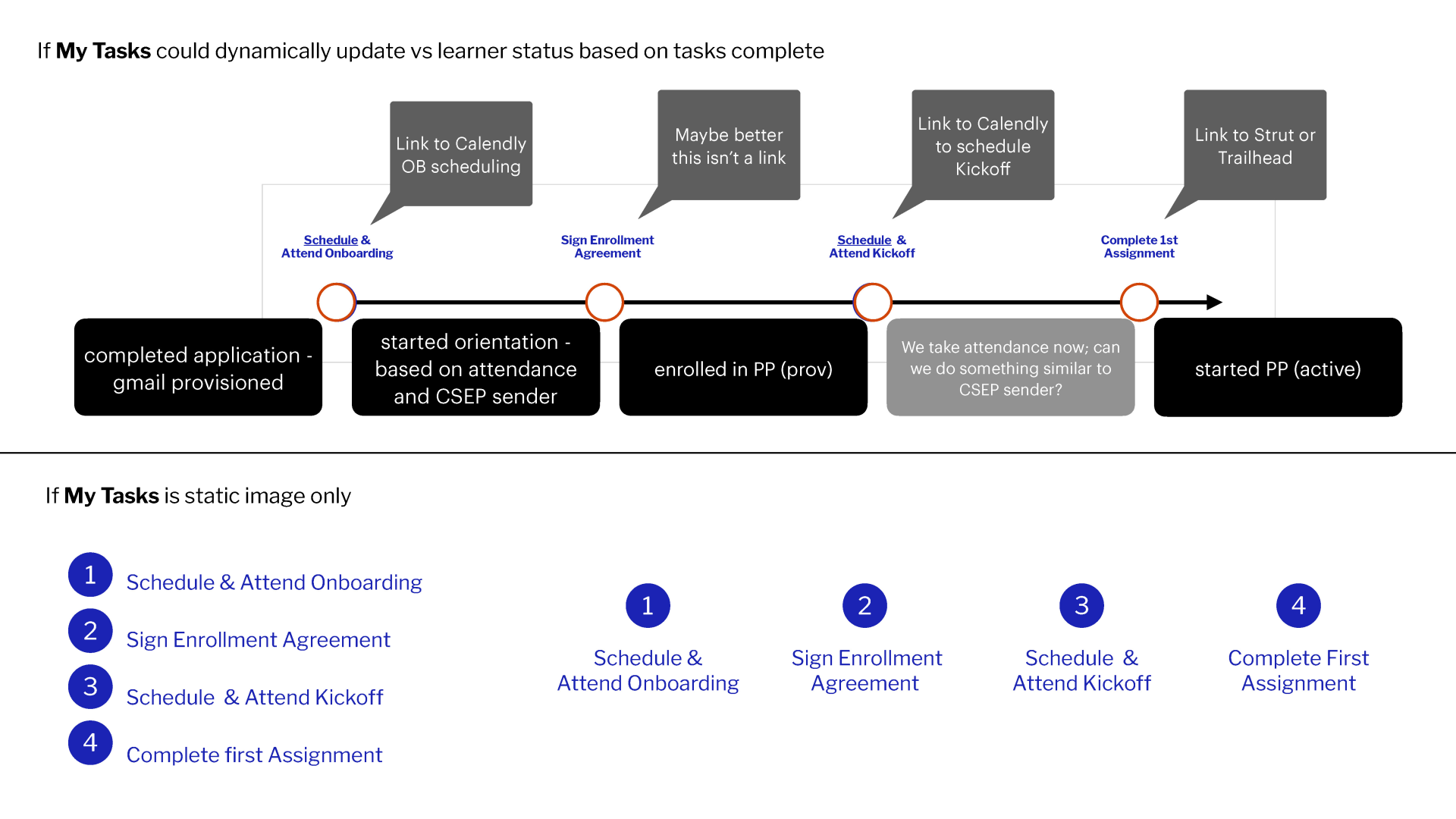
Cross-functional mapping of the student onboarding journey
04. Design System
Building the Design System from Scratch
There was no design system and a scalable foundation was required. Experience from previous work (DiDi) informed the approach.
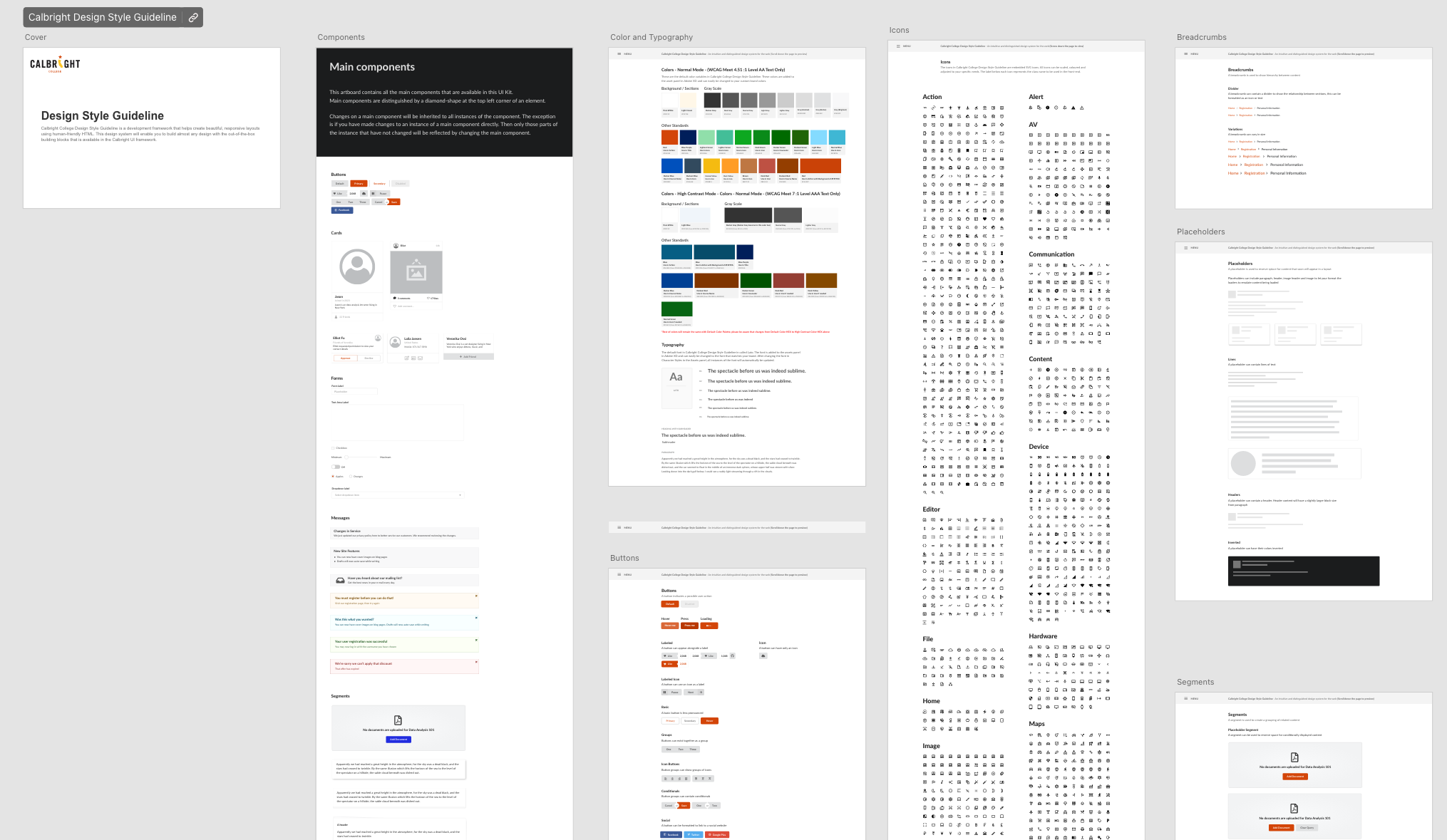
Design system overview board
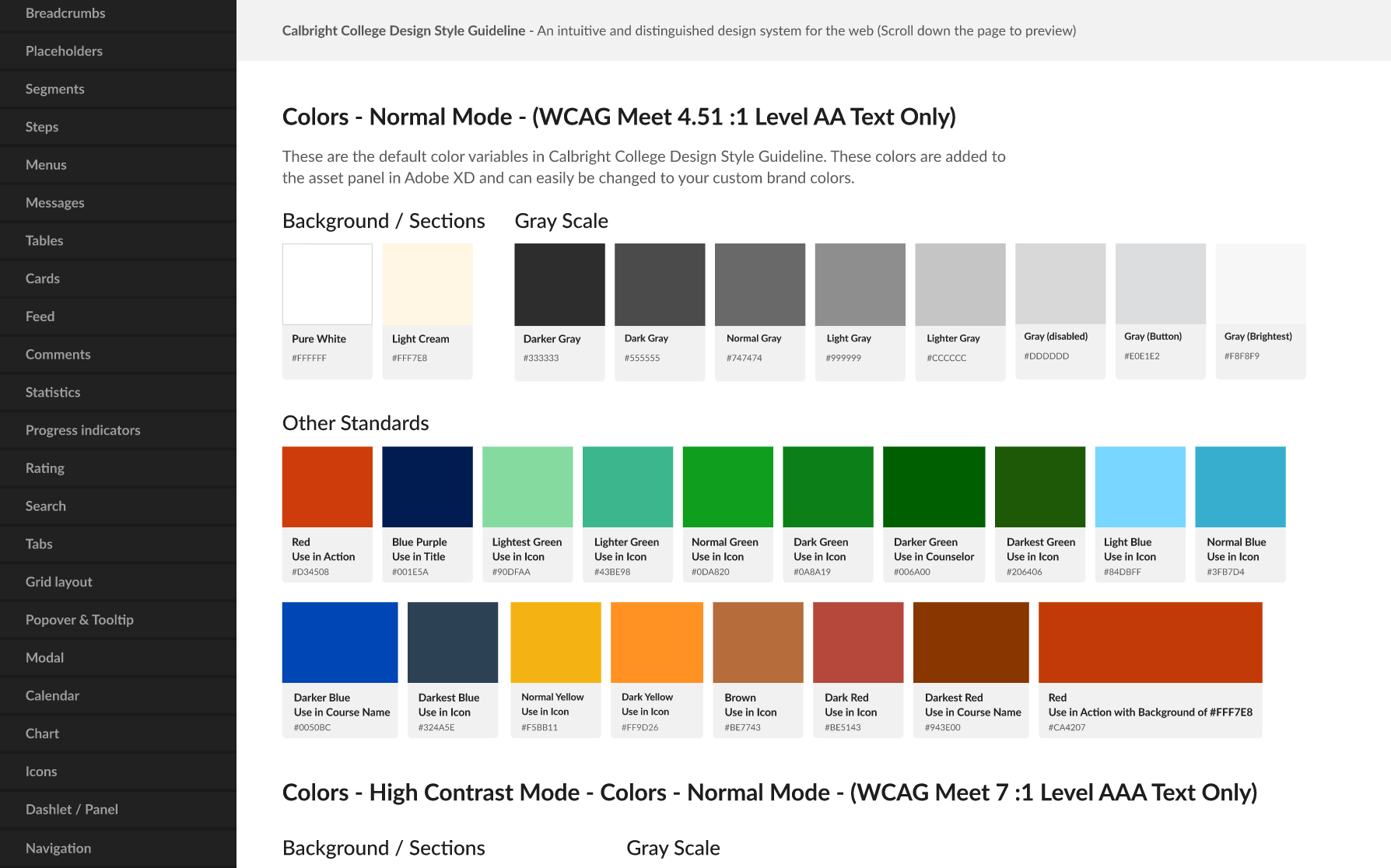
Component library (On Left Nav)
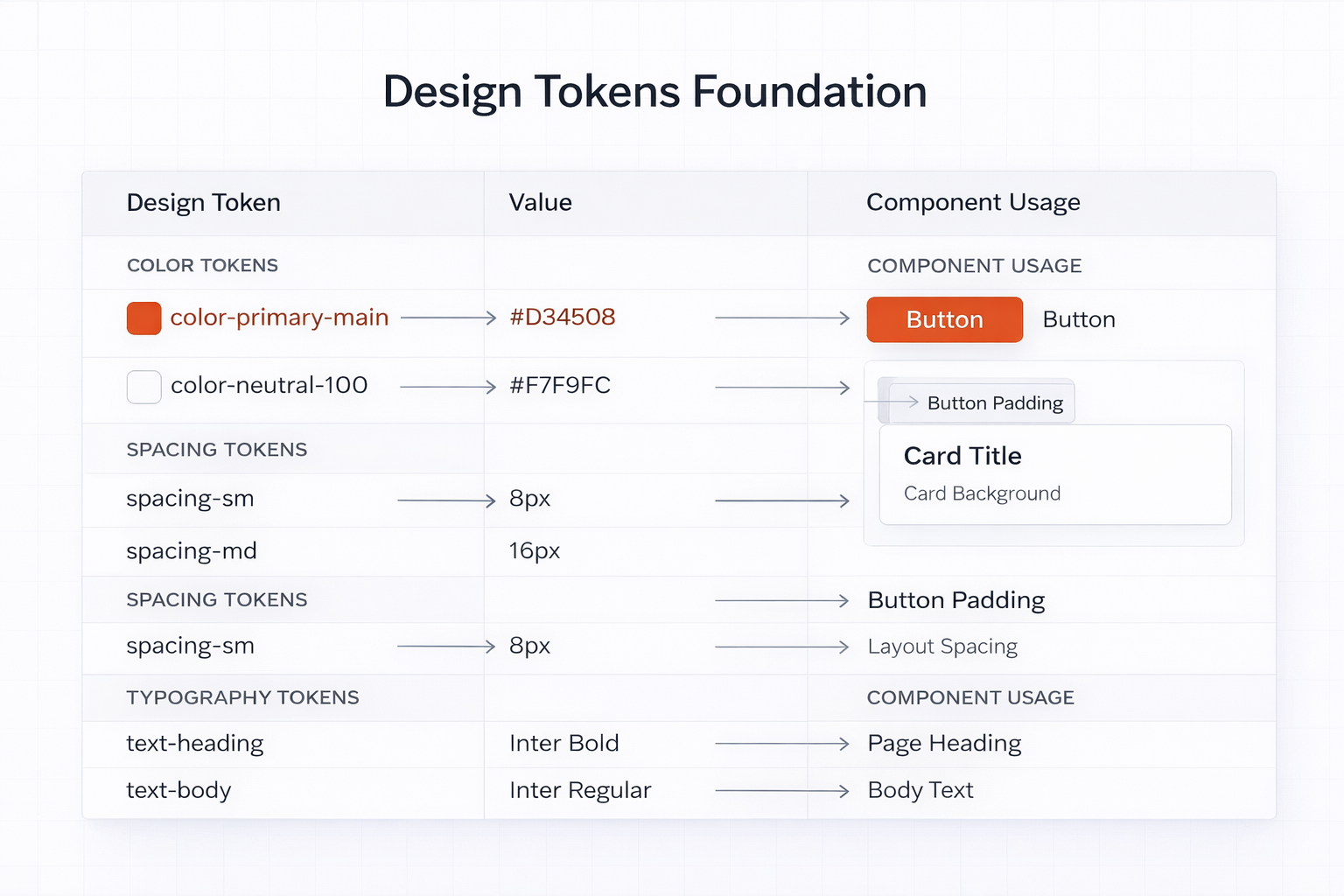
Design tokens
05. IA & Early Prototypes
Information Architecture & Early Prototyping
Early prototypes tested a dashboard-driven experience.
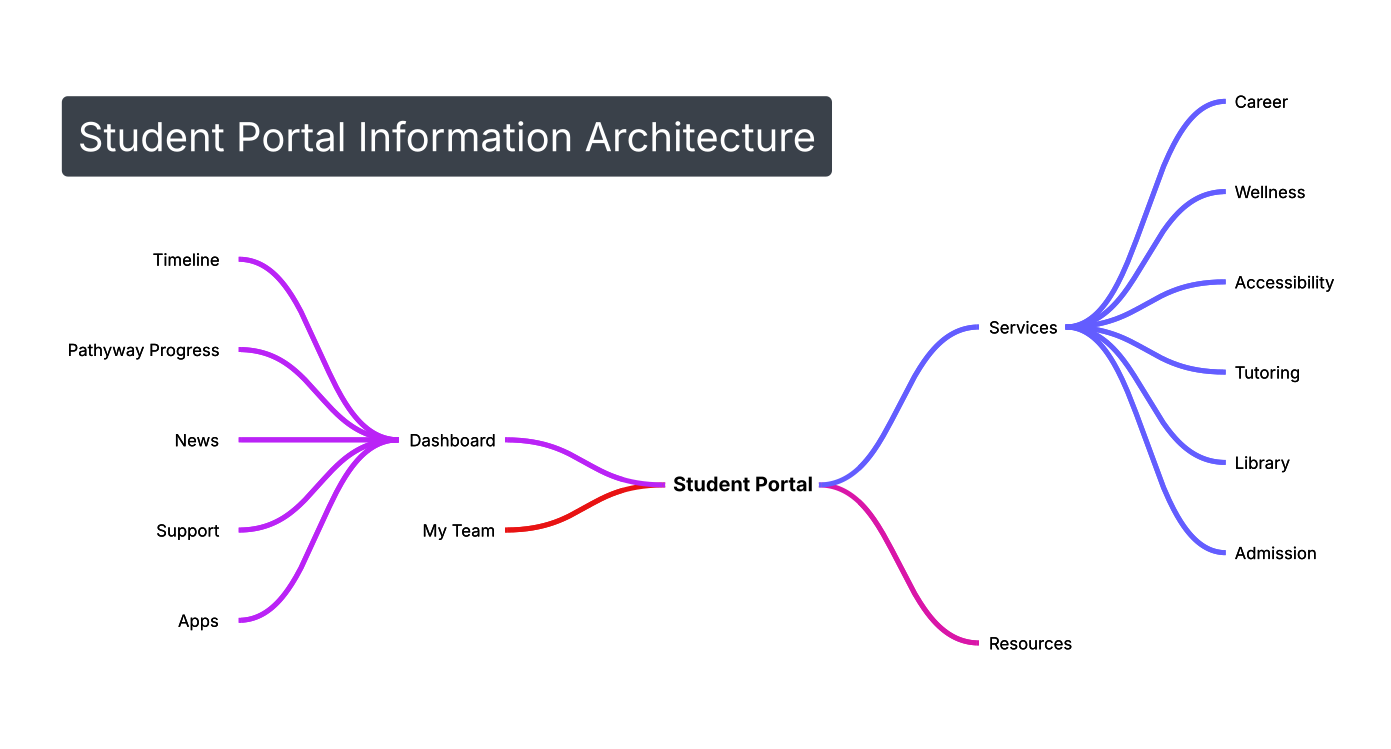
Information architecture diagram
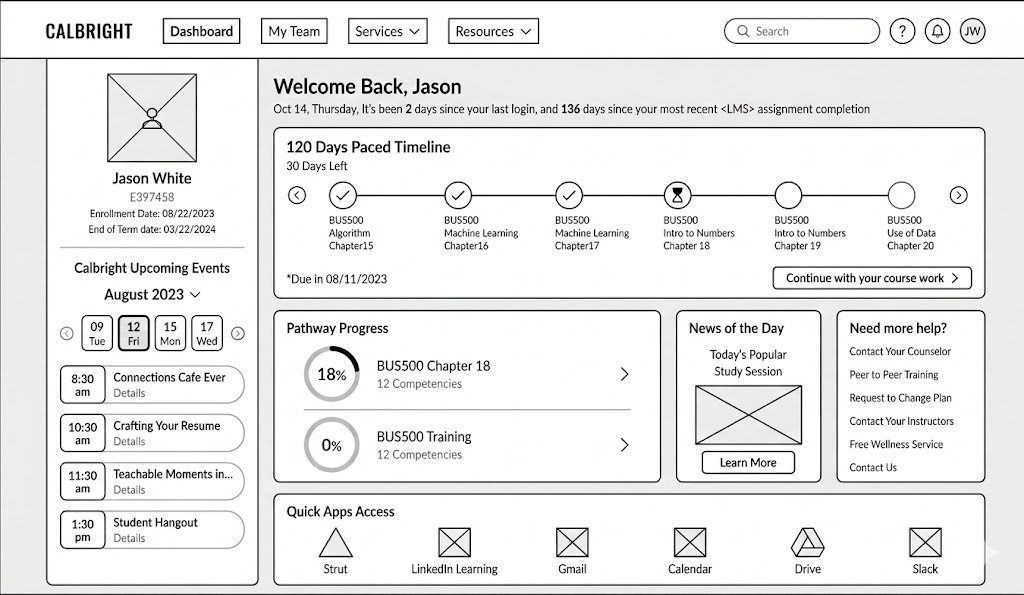
Low fidelity wireframes
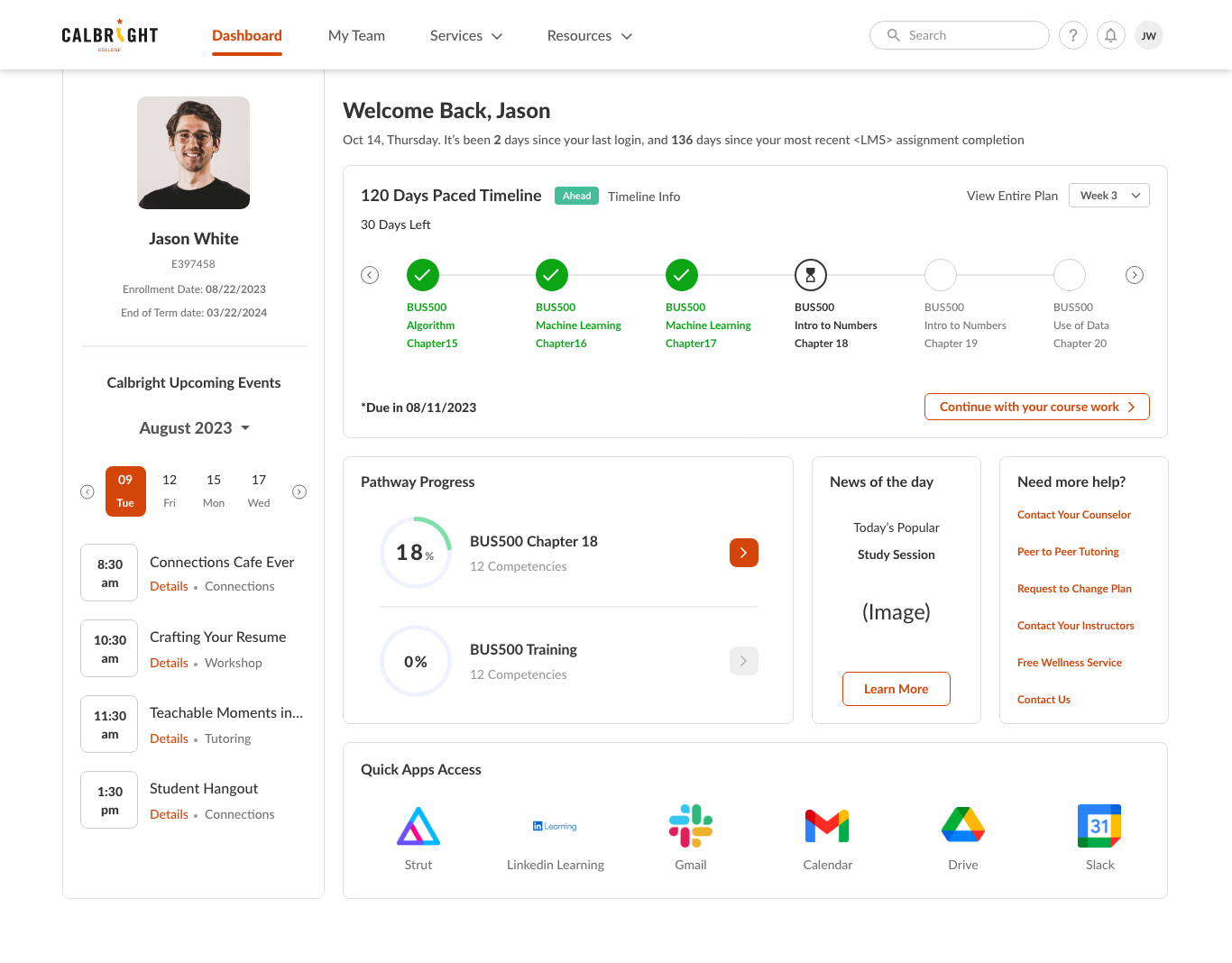
Early dashboard prototype
06. Cross Team Collaboration
Iterating Through Cross-Team Collaboration
Collaboration with product leadership, engineering, Student Success team, and academic advisors.
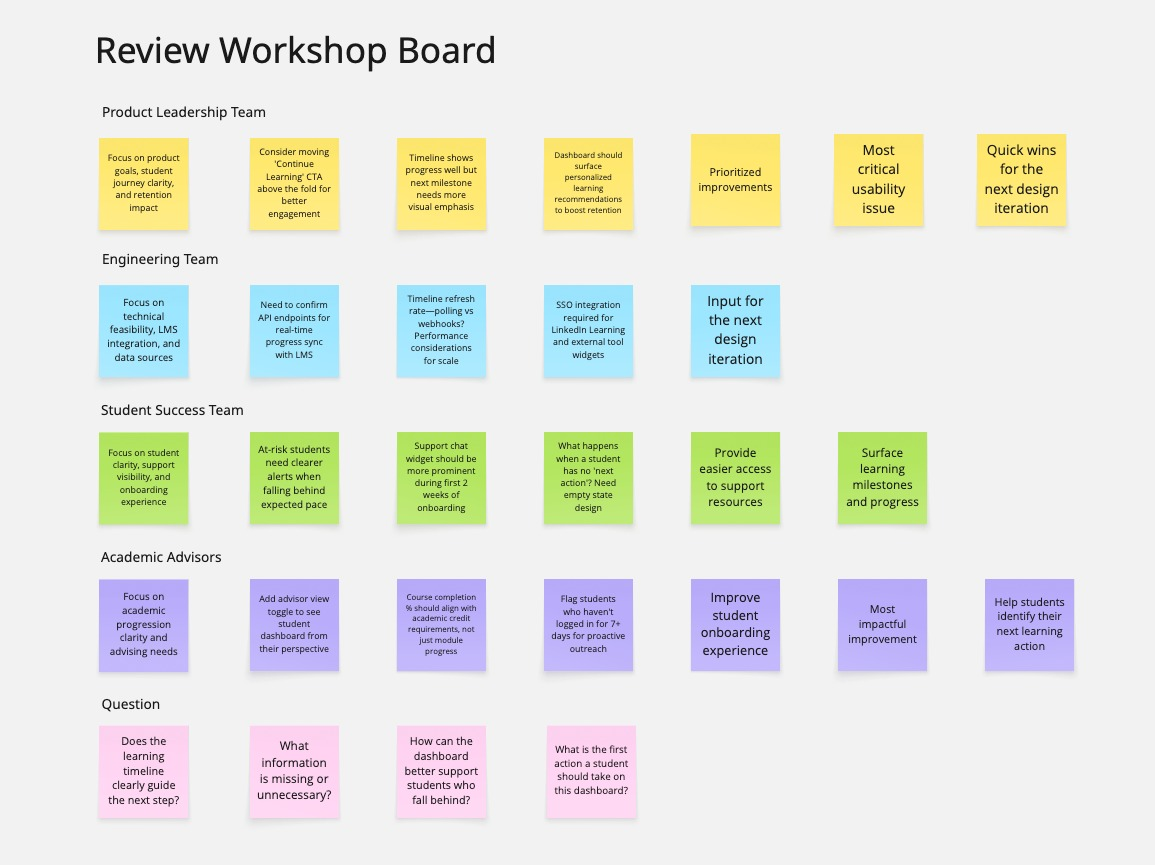
Review workshop board
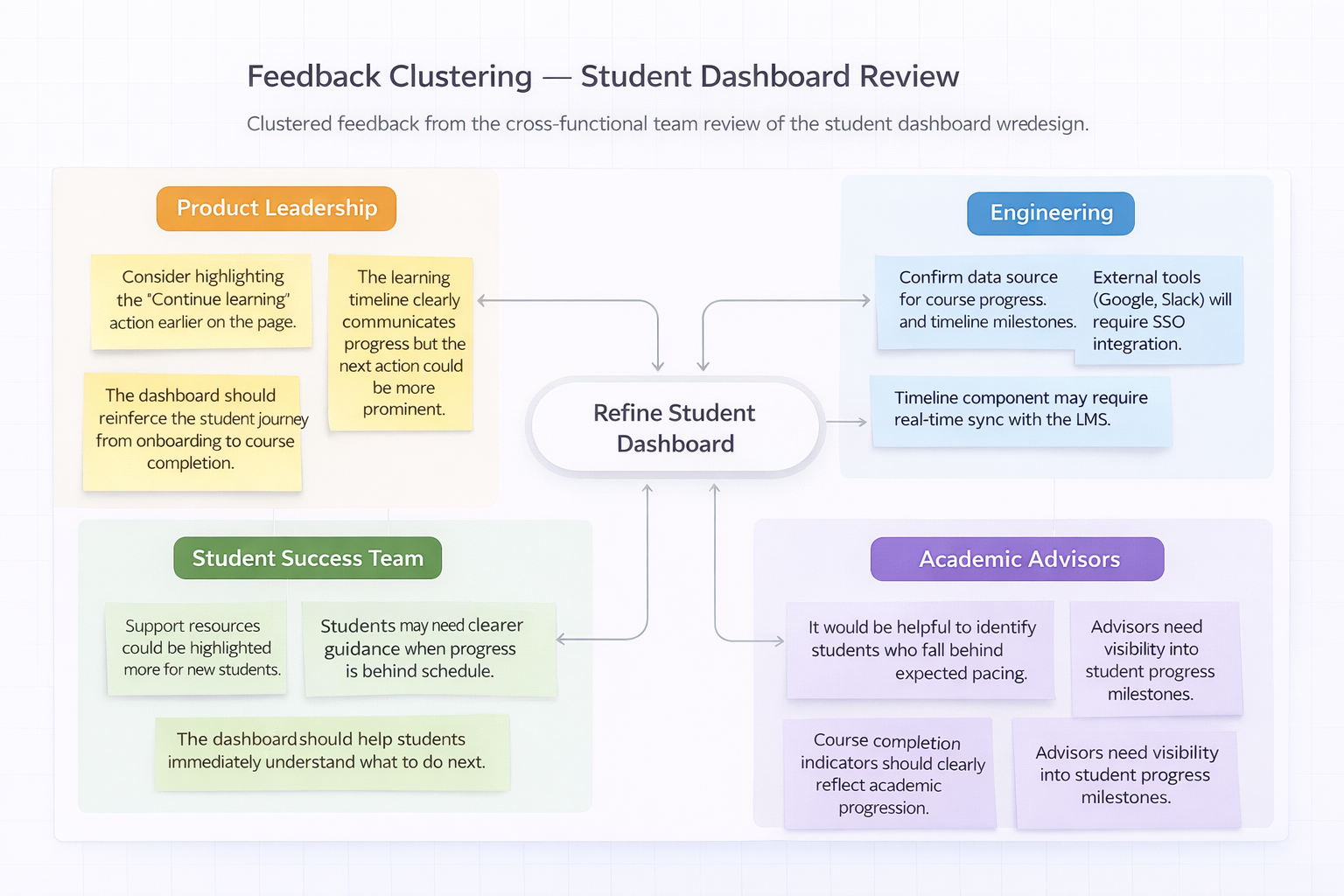
Feedback clustering diagram
07. First Release
Launching the First Portal Redesign
The redesigned homepage improved visual clarity and structured onboarding tasks.
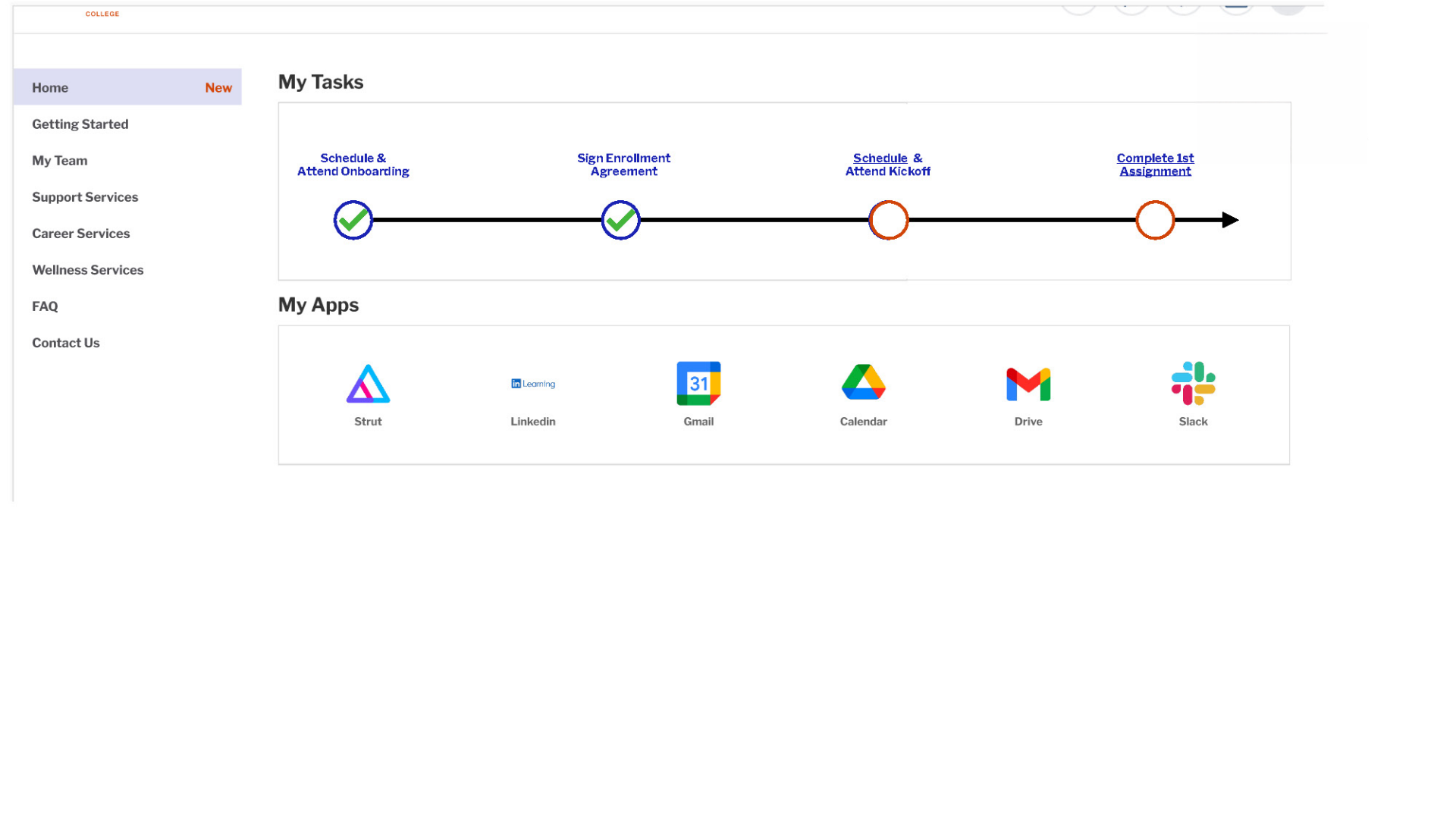
Before redesign
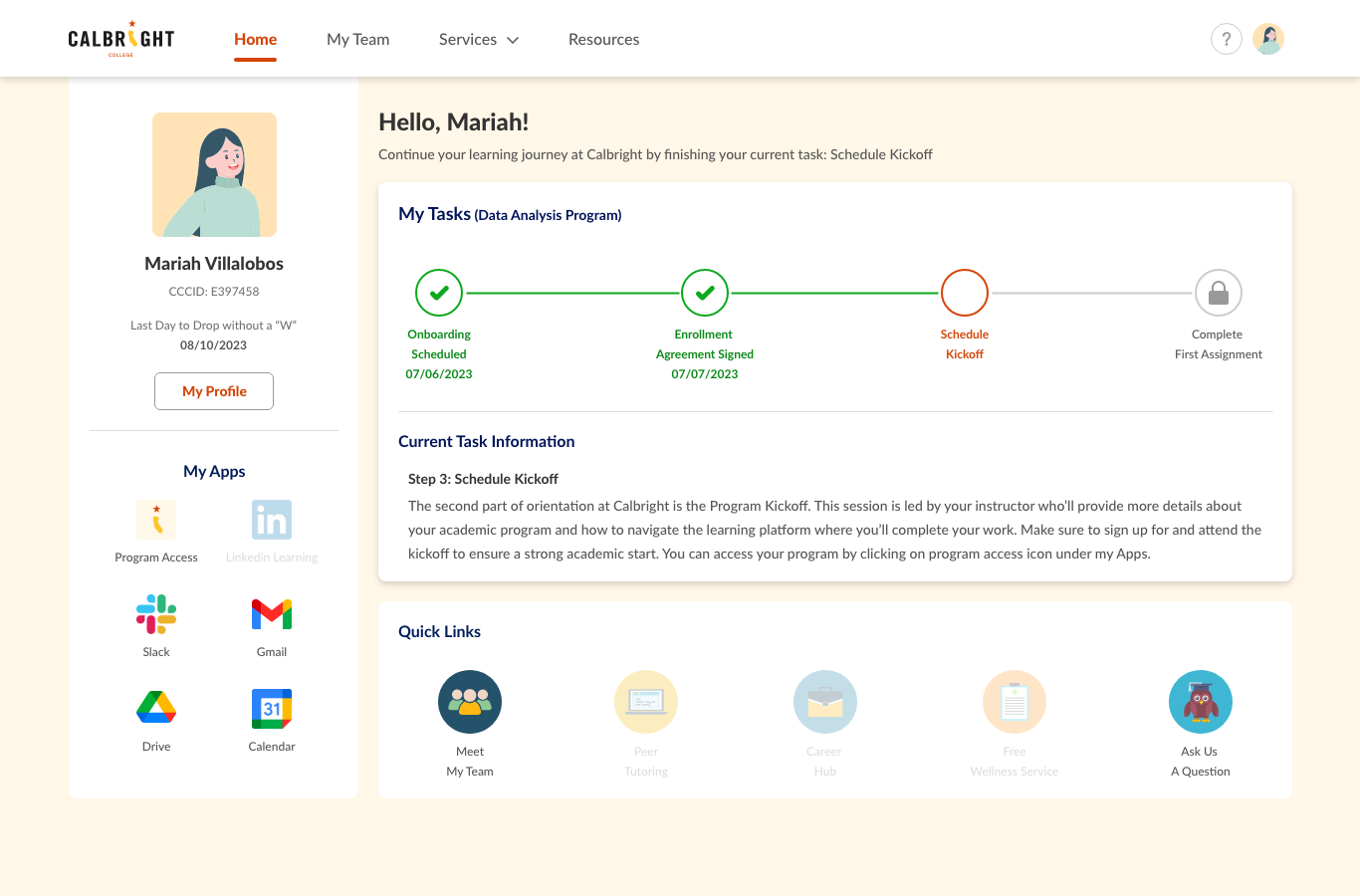
After redesign
08. Behavioral Data
Early Signals from Behavioral Data (Hotjar)
Analytics revealed onboarding issues.
41%
Engagement rate
12%
Rage click rate
58%
Orientation scheduling completion
46%
Onboarding completion
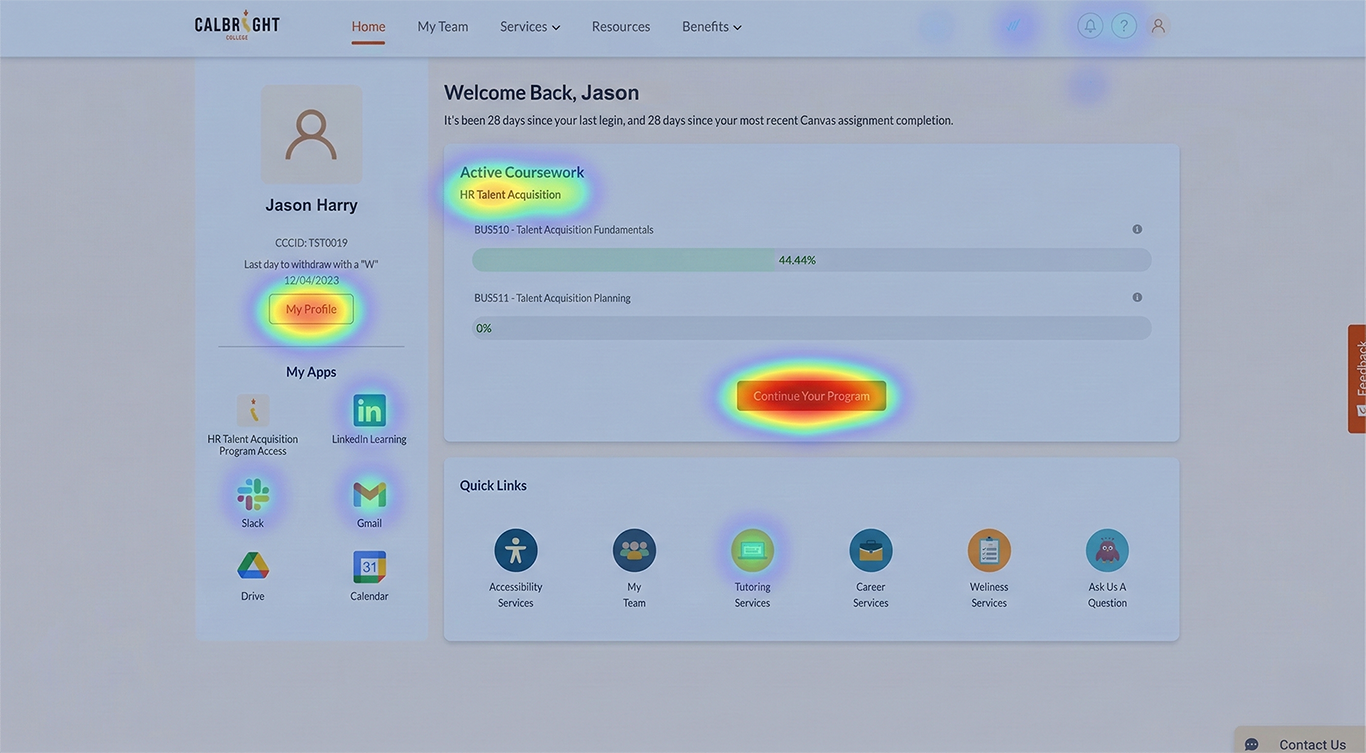
Heatmap
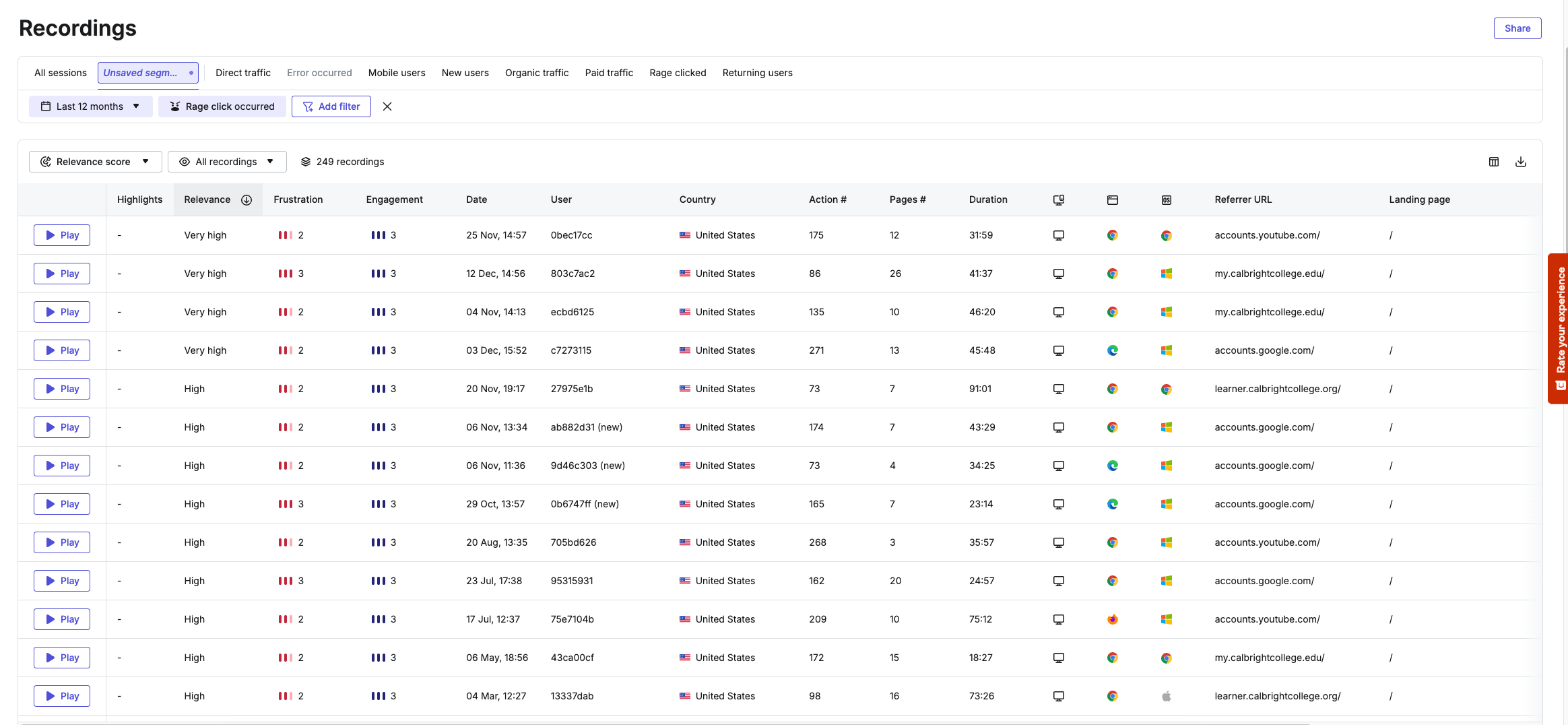
Rage click visualization
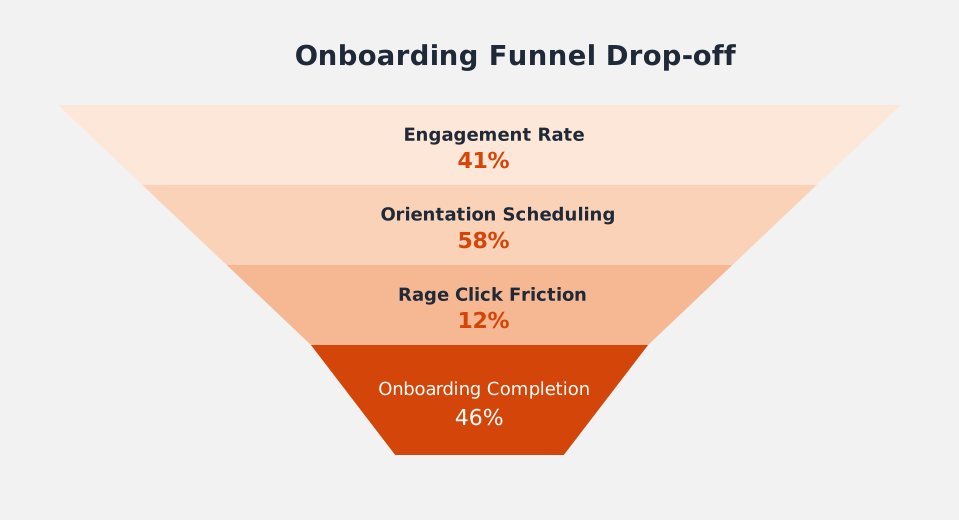
Funnel drop-off chart
09. Qualitative Research
Student Interviews & Qualitative Insights
Student focus groups were conducted. Students liked the visual redesign but struggled with progress clarity.
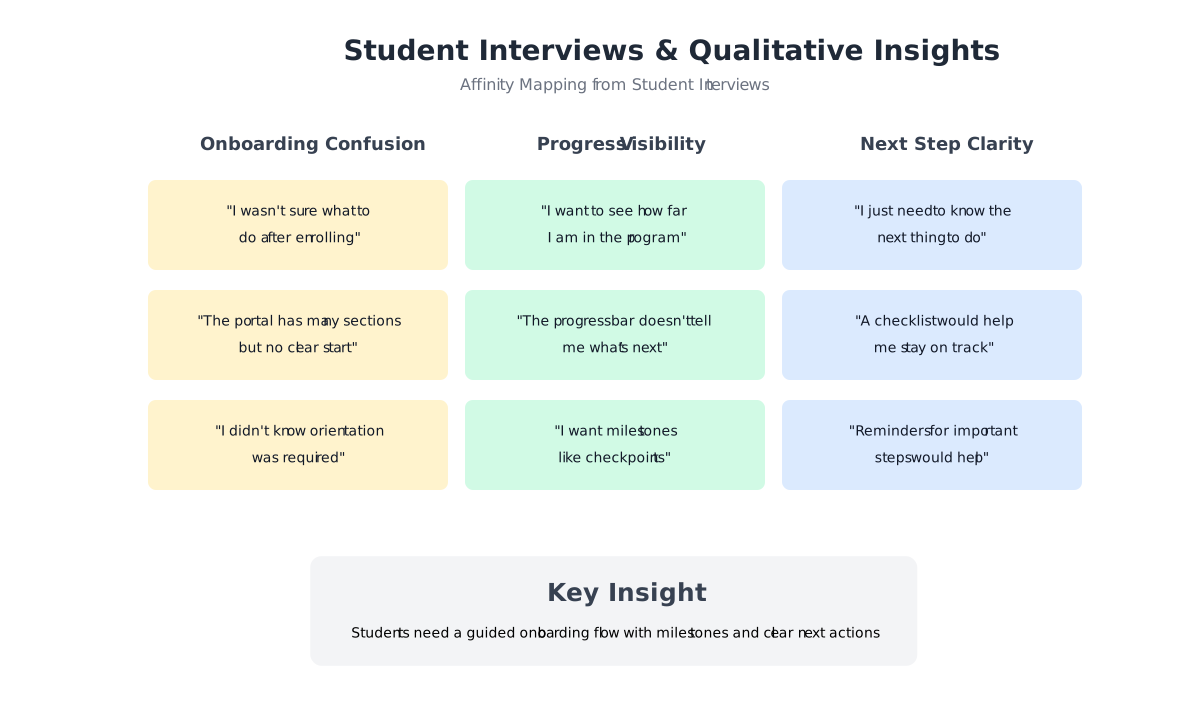
Affinity mapping board
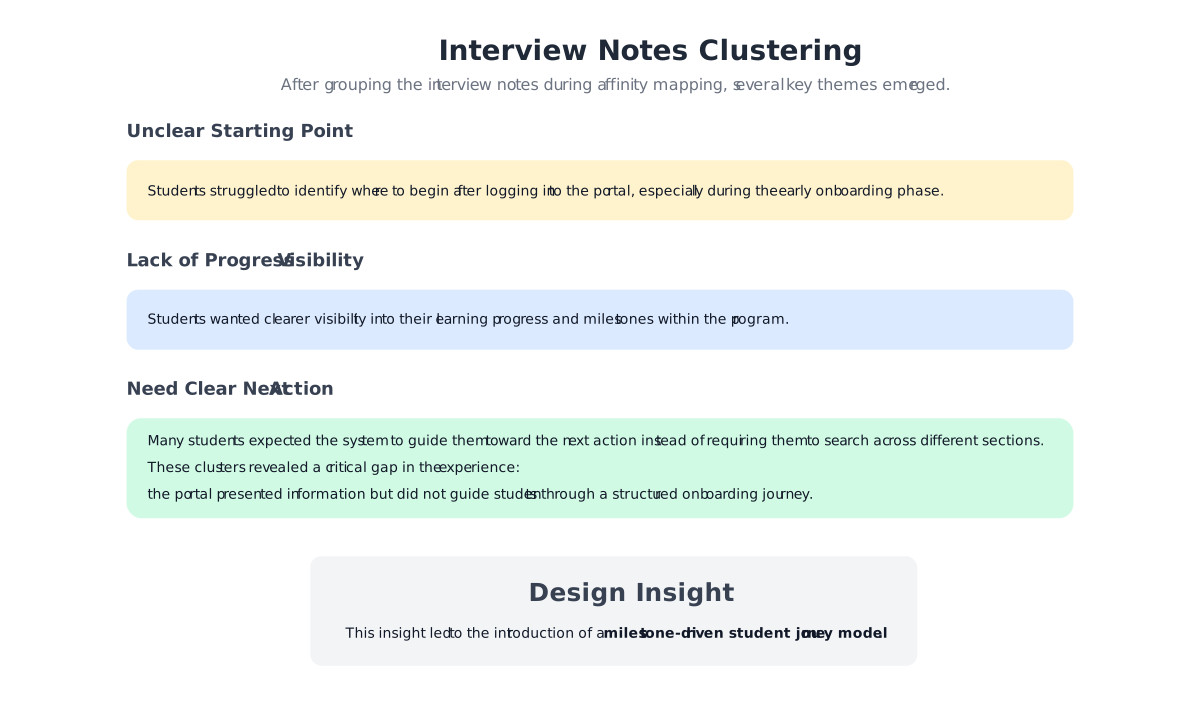
Interview notes cluster
10. Strategic Shift
Aligning with Institutional Strategy
The redesigned journey introduces a structured entry point that guides students from onboarding into their program dashboard and learning path.
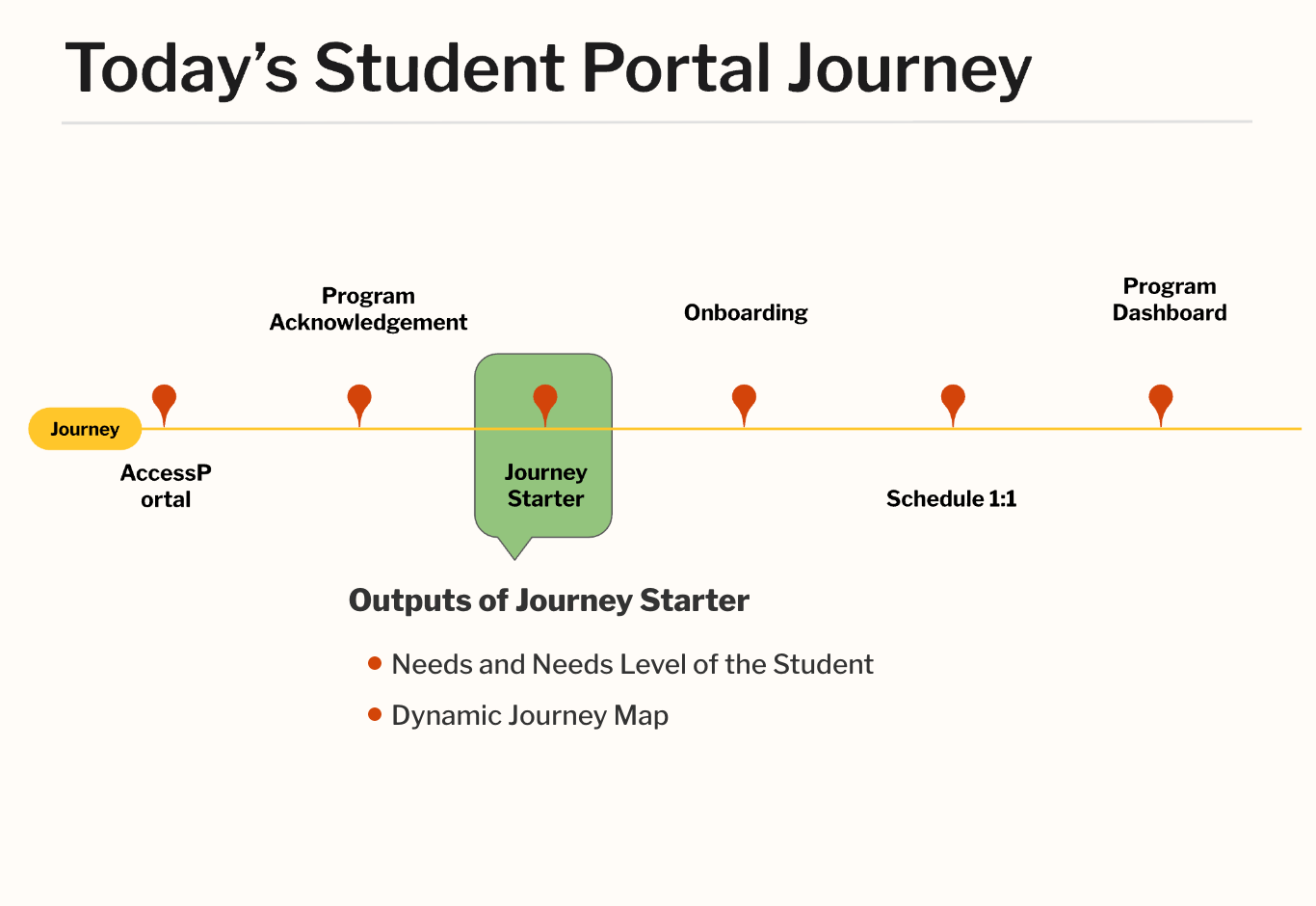
A redesigned student journey aligning onboarding with the institution's competency-based learning model.
11. Design Iterations
Exploring Multiple Design Directions
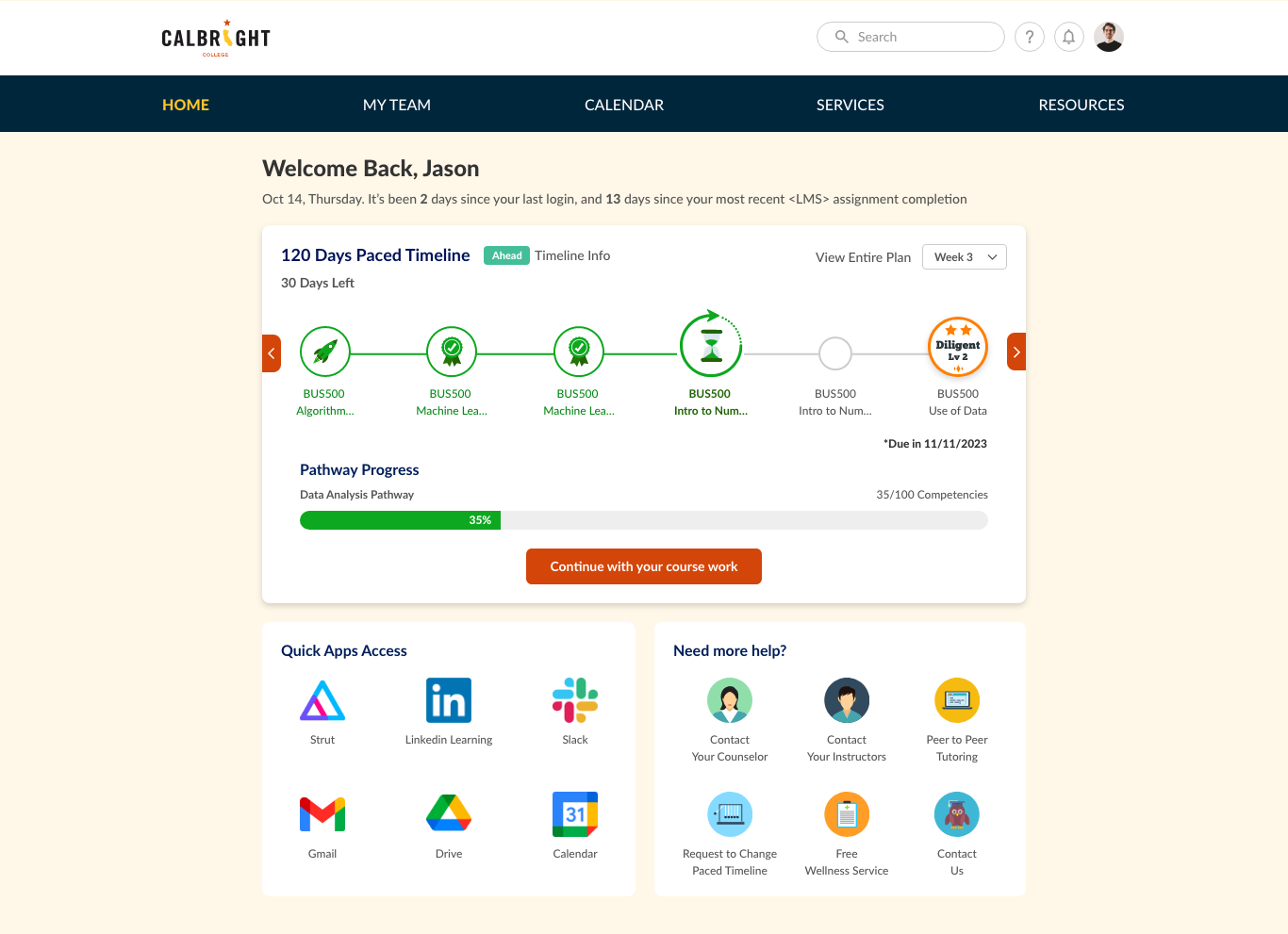
Before arriving at the final Student Journey model, multiple design directions were explored and iterated. These iterations focused on improving onboarding clarity, visualizing learning progress, and guiding students toward their next action.
The design exploration included several prototype variations that tested different approaches to organizing the dashboard experience and presenting student milestones.
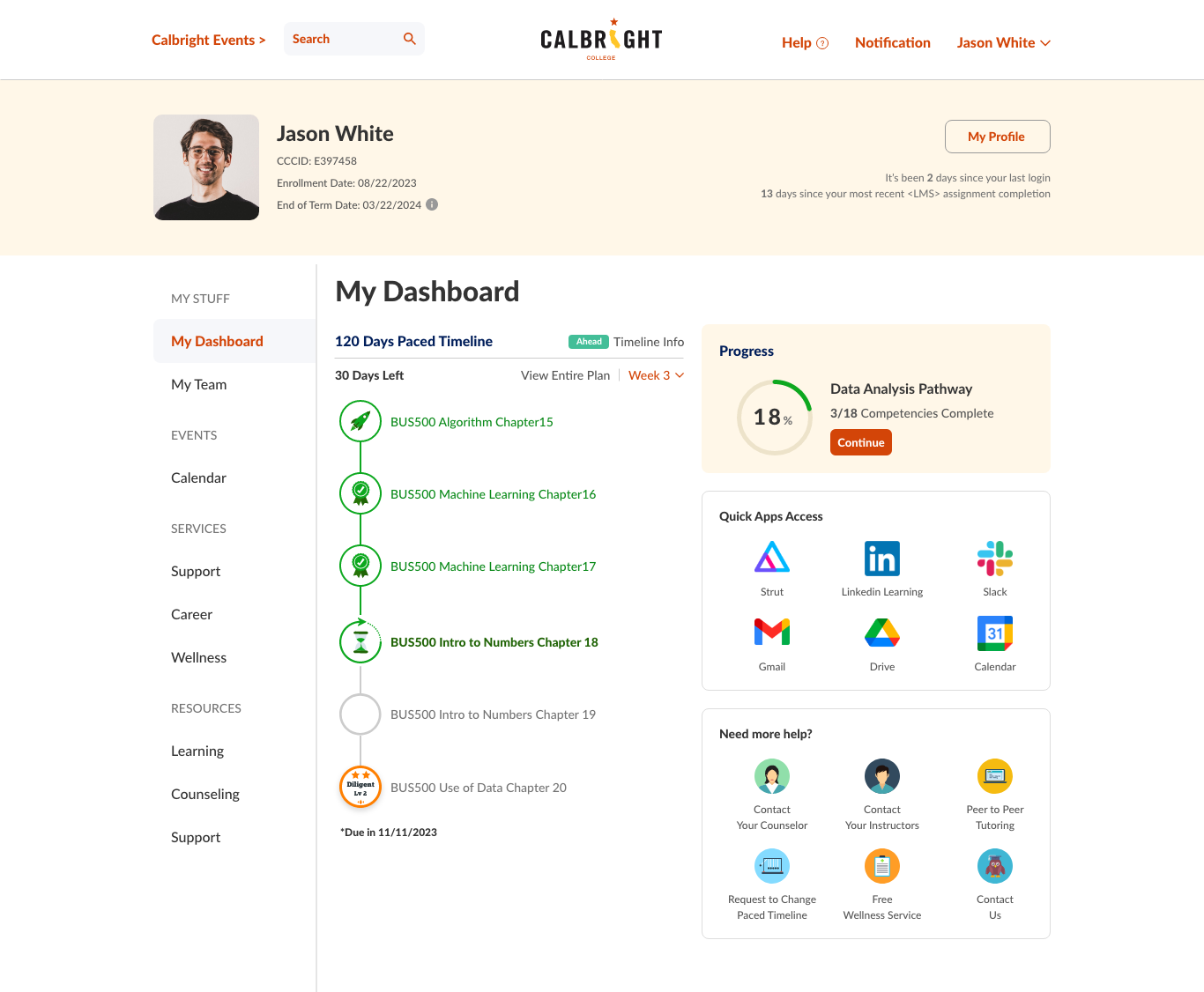
Iteration 1
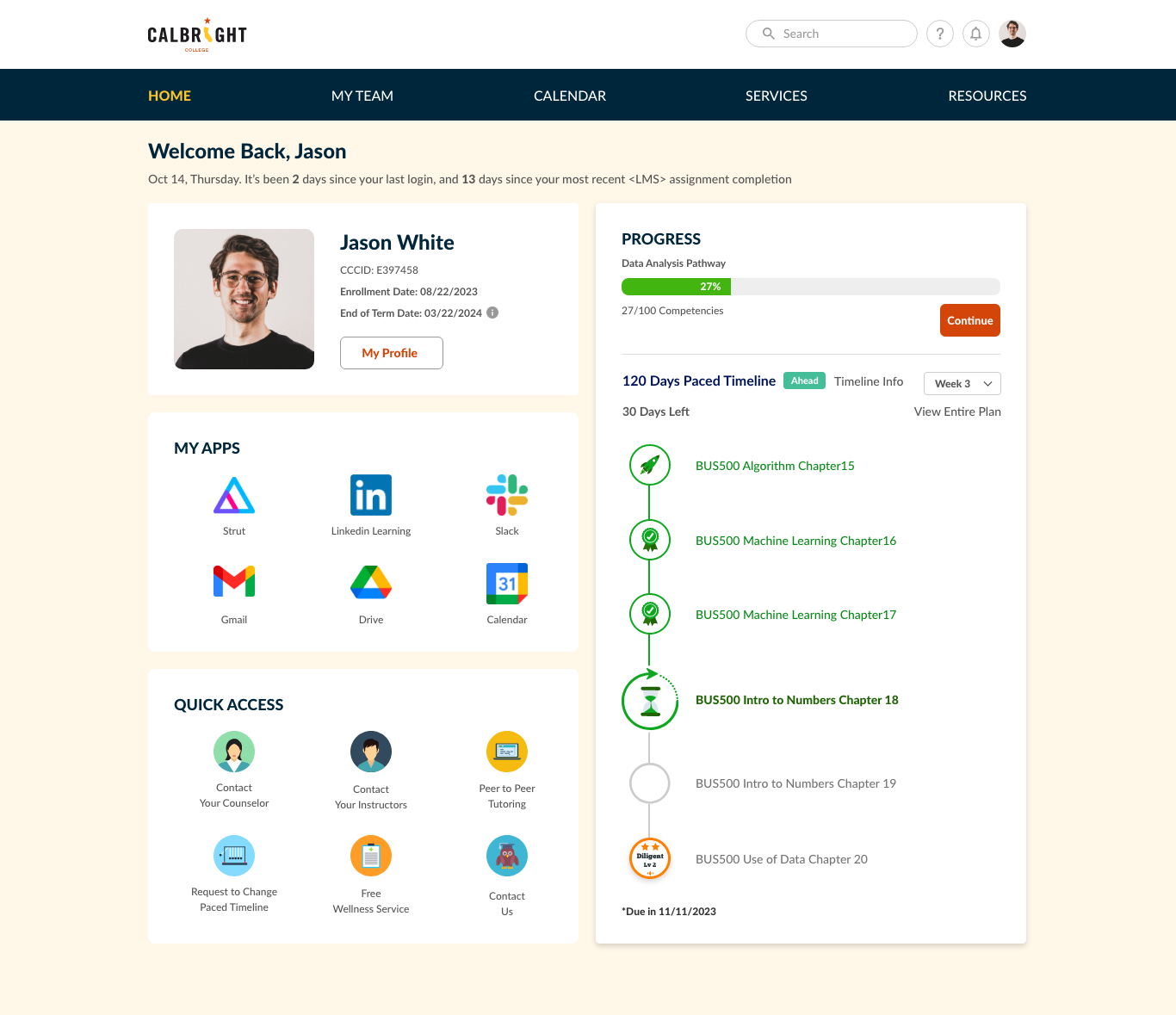
Iteration 2
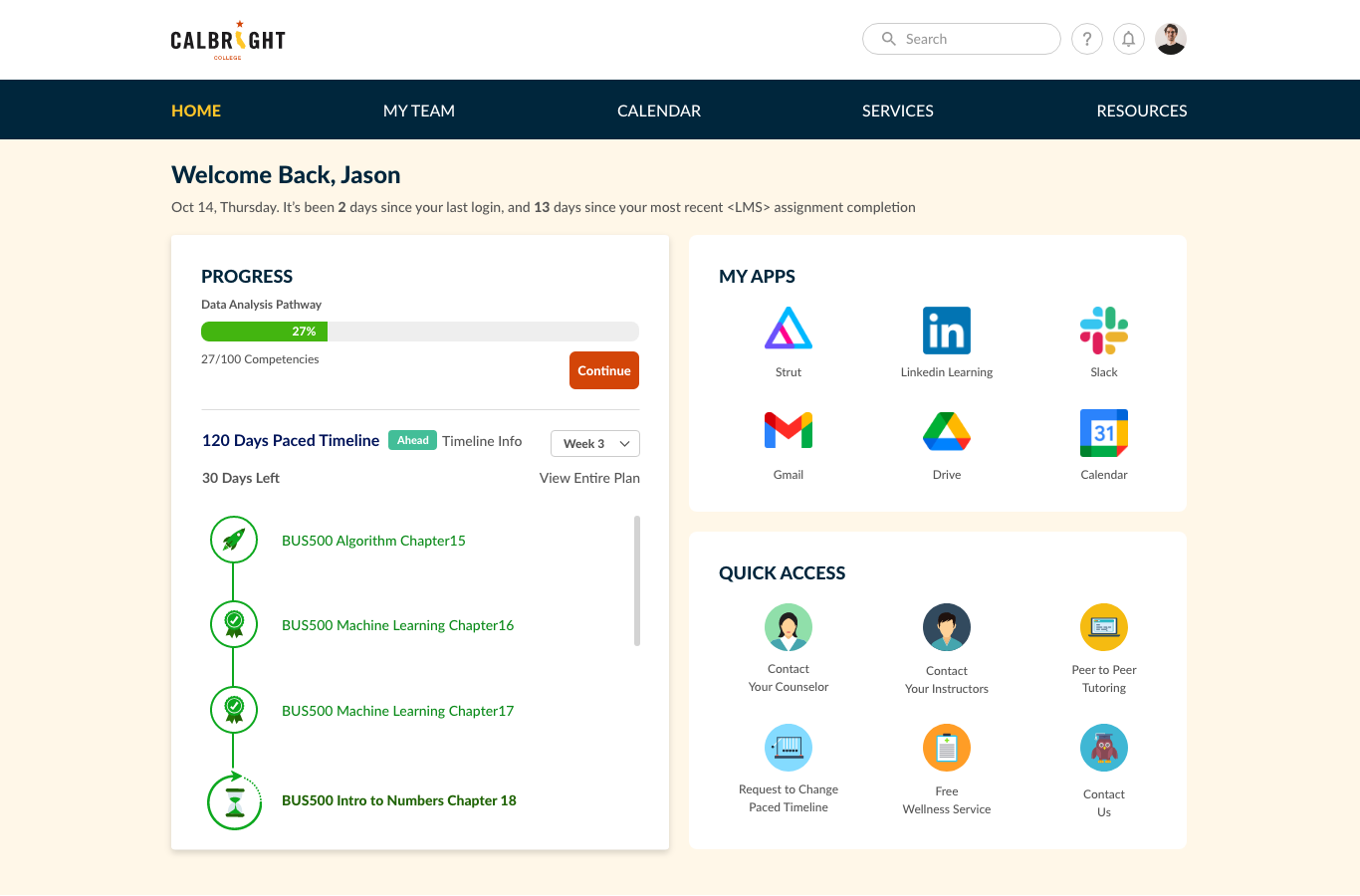
Iteration 3
Iteration 4
12. Student Journey 2.0
Introducing Student Journey 2.0
Inspiration from platforms such as Canvas and Salesforce Trailhead
Milestone framework introduced
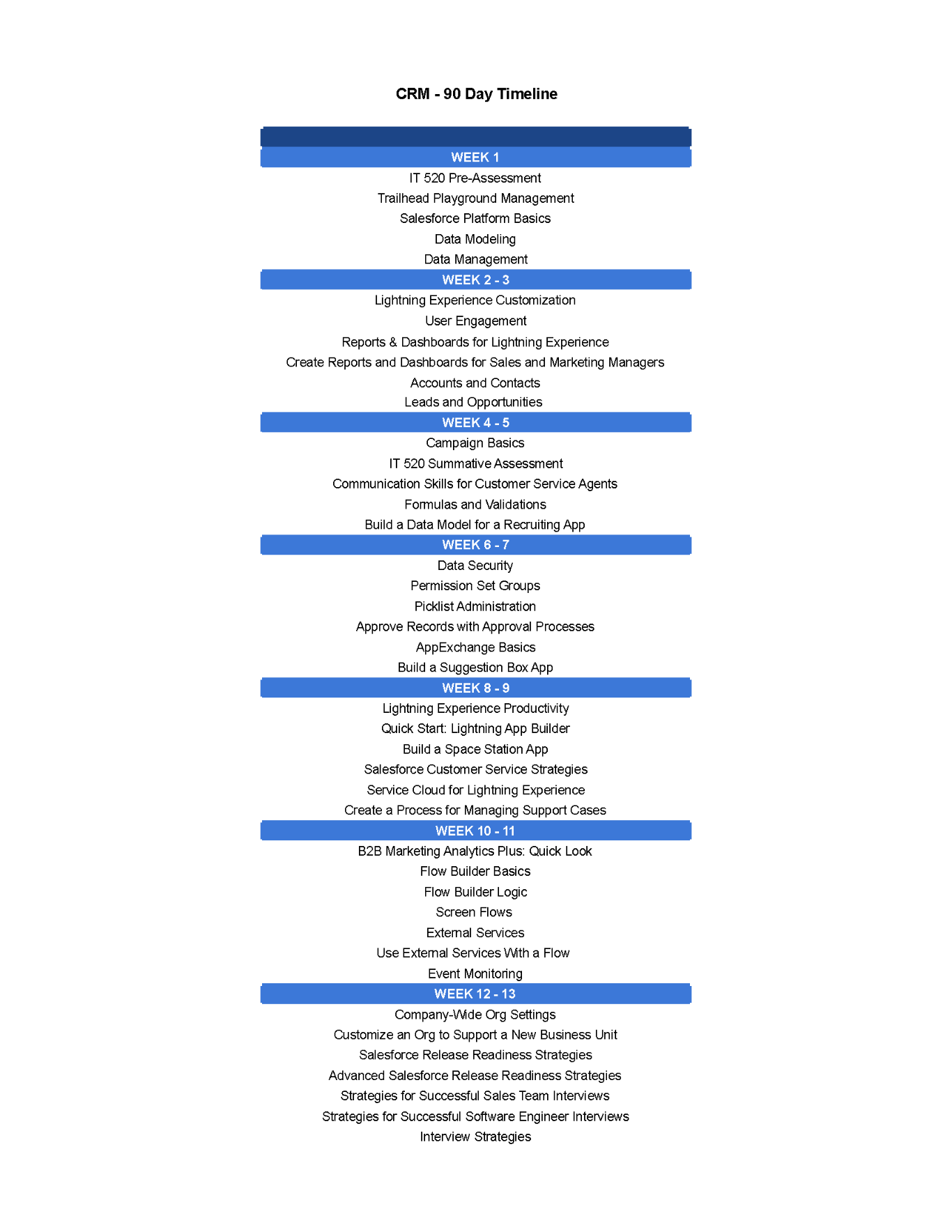
Old Journey Map
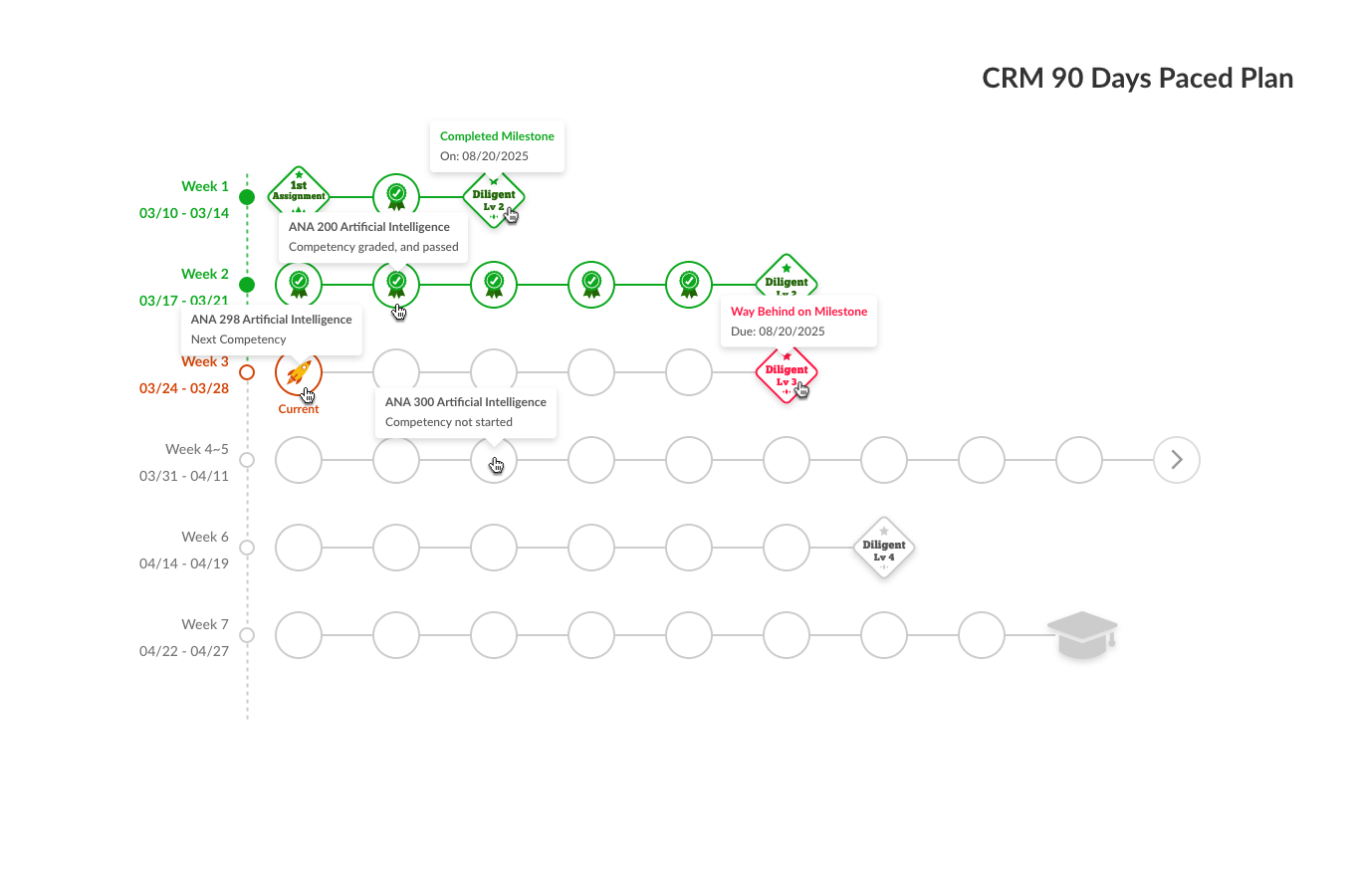
New Dynamic Journey Map
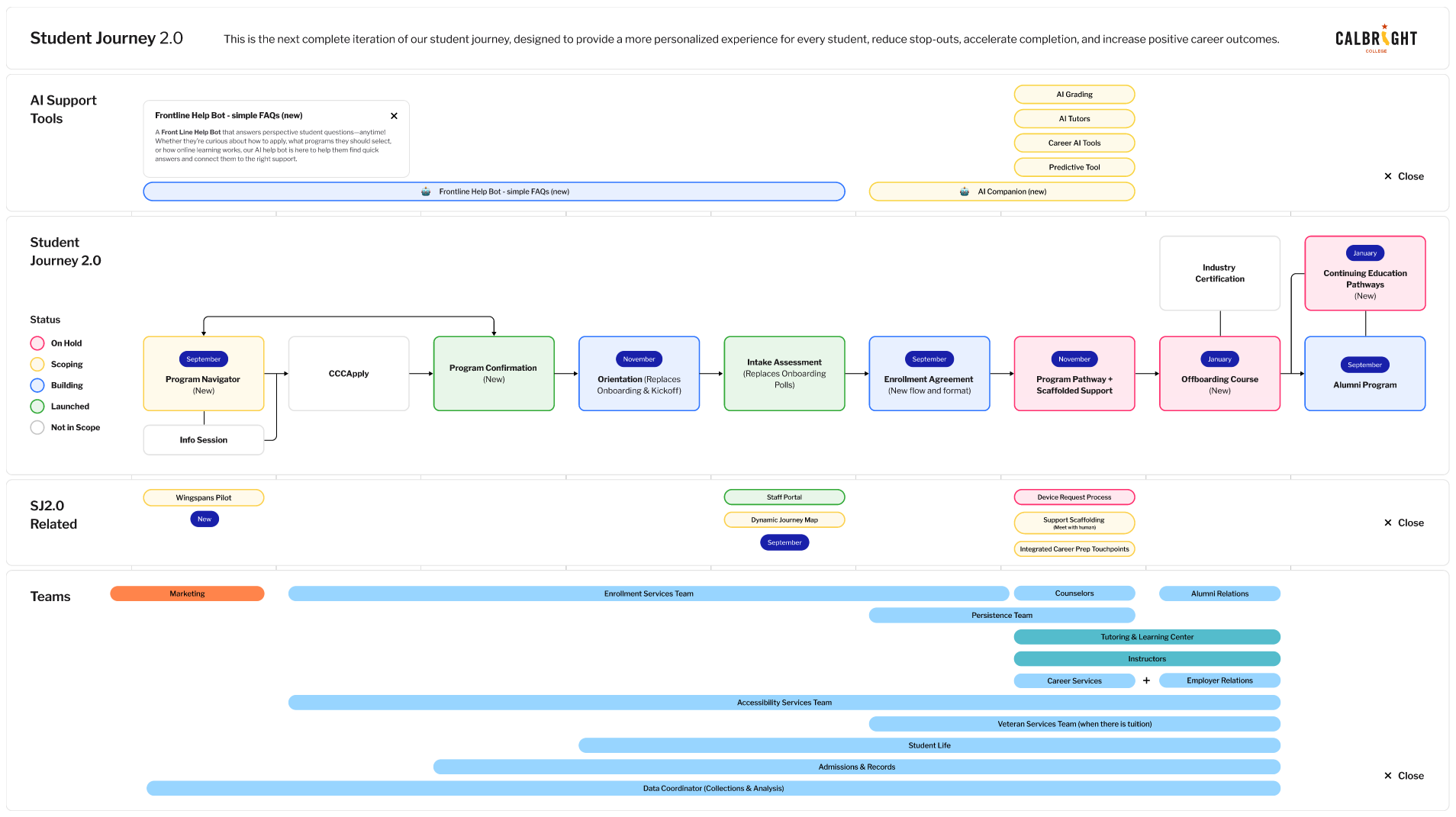
Journey model diagram showing the milestone system
13. Milestone Dashboard
Milestone-Driven Student Journey
To reduce onboarding confusion and improve progress visibility, the dashboard was redesigned around a milestone model that surfaces key learning checkpoints and actionable next steps.
14. Impact
Impact & Outcomes
The improved journey supported institutional initiatives and new academic programs.
Engagement rate
41% → 67%
Orientation scheduling
58% → 84%
Onboarding completion
46% → 78%
Hotjar satisfaction
3.8/5 → 4.6/5
15. Reflection
"This project started as a student portal redesign, but evolved into a broader experience strategy challenge — creating clearer guidance across onboarding, orientation, and early academic milestones. My role was not only to improve usability, but to translate institutional complexity into a journey students could navigate with greater confidence and less cognitive burden."